In this comprehensive guide, we compare Kommunicate and Voiceflow across various parameters including features, pricing, performance, and customer support to help you make the best decision for your business needs.
Overview
When choosing between Kommunicate and Voiceflow, understanding their unique strengths and architectural differences is crucial for making an informed decision. Both platforms serve the RAG (Retrieval-Augmented Generation) space but cater to different use cases and organizational needs.
Quick Decision Guide
Choose Kommunicate if: you value exceptional human handoff sophistication: round-robin, channel-based, geo, language routing with reassignment rules and programmatic km_assign_to - superior to typical rag platforms
Choose Voiceflow if: you value visual workflow builder enables non-technical teams to build complex agents
About Kommunicate
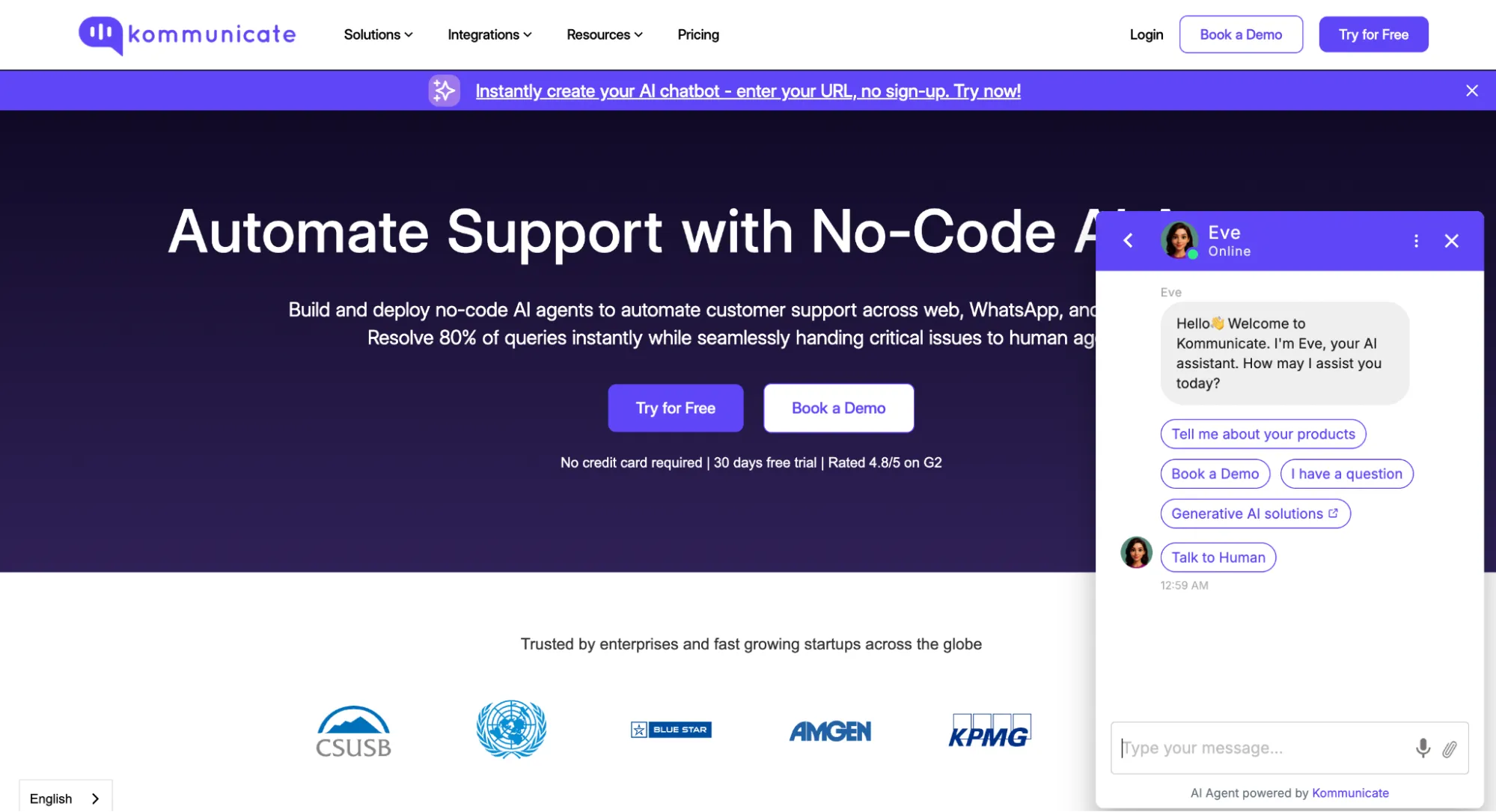
Kommunicate is customer support automation with live chat and ai chatbots. Customer service automation platform with RAG-like capabilities through no-code Kompose bot builder. Founded 2020, selected for Google's AI First Accelerator 2024. Serves 15,000+ customers (BlueStacks 4.3M+ messages, Epic Sports 60% containment). Multi-LLM support: GPT-4o, Claude 3.5, Gemini 1.5 Flash. Exceptional human handoff with round-robin/geo/language routing. SOC 2 + ISO 27001 + HIPAA + GDPR certified. Critical gaps: NO cloud storage integrations (Google Drive/Dropbox/Notion), NO Python SDK, NO programmatic knowledge base API, NO Microsoft Teams. Conversation-based pricing: $40/month (250 conversations). Conversational AI layer with RAG features vs RAG-first platform. Founded in 2020, headquartered in Wilmington, Delaware, USA / India operations, the platform has established itself as a reliable solution in the RAG space.
Overall Rating
85/100
Starting Price
$40/mo
About Voiceflow
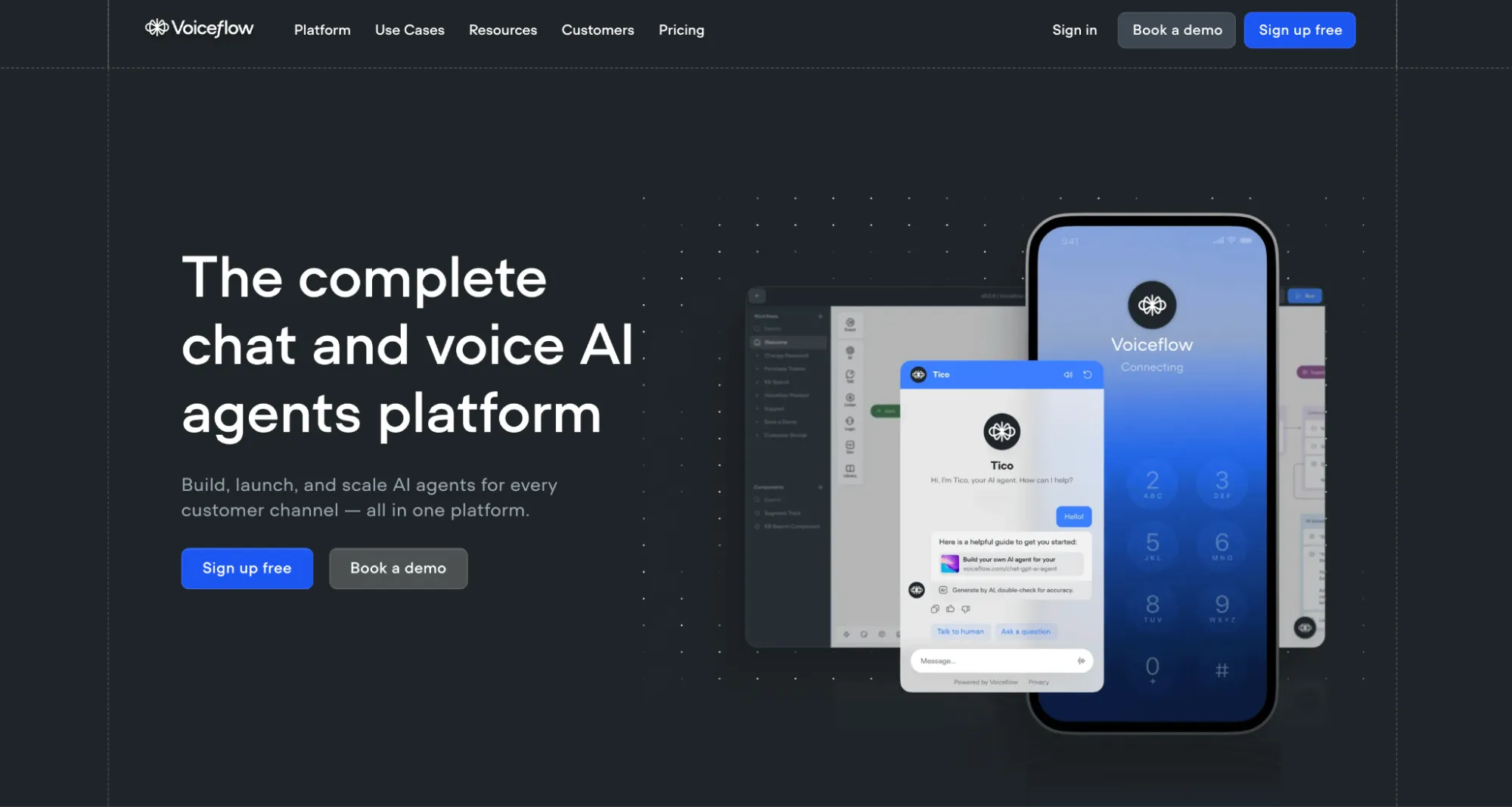
Voiceflow is collaborative ai agent building platform for teams. Voiceflow is a collaborative workflow-first platform for building, deploying, and scaling AI agents. Born from Alexa skill development (2017-2019), it evolved into a full-stack agent platform with visual canvas design, function calling, and enterprise-grade observability. Used by Mercedes-Benz, JP Morgan, and 200K+ teams. Founded in 2017, headquartered in Toronto, Canada, the platform has established itself as a reliable solution in the RAG space.
Overall Rating
90/100
Starting Price
$40/mo
Key Differences at a Glance
In terms of user ratings, both platforms score similarly in overall satisfaction. From a cost perspective, pricing is comparable. The platforms also differ in their primary focus: Customer Support versus AI Agent Platform. These differences make each platform better suited for specific use cases and organizational requirements.
⚠️ What This Comparison Covers
We'll analyze features, pricing, performance benchmarks, security compliance, integration capabilities, and real-world use cases to help you determine which platform best fits your organization's needs. All data is independently verified from official documentation and third-party review platforms.
10MB File Size Limit: Maximum per document - may constrain large PDF processing vs unlimited competitors
Website Crawling: Built-in scraper extracting content from URLs and subpages (up to 250 pages in demo)
Real-Time Website Sync: "Every time your content gets updated, the chatbot auto-syncs itself" - claimed automatic updates
RAG Pipeline: HTML extraction → text chunking → embedding creation → LLM-powered responses
Zendesk Guide Integration: Automatic knowledge article sync for customer support content
Salesforce Knowledge: CRM knowledge base synchronization with bi-directional updates
CRITICAL: CRITICAL GAP - NO Cloud Storage: NO Google Drive, Dropbox, Notion integrations - cannot auto-sync cloud documents vs competitors with native cloud workflows
CRITICAL: NO YouTube Transcripts: Video content ingestion unsupported - limits training for organizations with video libraries
CRITICAL: Scanned PDF Limitation: Cannot process image-based PDFs without selectable text - OCR capability absent
CRITICAL: Automatic Retraining Unclear: Document update synchronization NOT explicitly documented vs real-time website sync claims
Knowledge Base (KB) feature with RAG-powered document retrieval
Supports file uploads: PDF, Word docs, plain text, CSV
Website crawling with sitemap ingestion
Note: Accuracy concerns: User reviews note KB "often inaccurate" and "too general"
Manual document chunking and preprocessing required for optimal results
Integrations for knowledge: Google Drive, Notion, Confluence, Zendesk
Auto-sync available for connected sources (Pro+)
Vector search with semantic matching for knowledge retrieval
Custom metadata tagging for organized knowledge management
No explicit document limits on plans - scales based on storage tier
Lets you ingest more than 1,400 file formats—PDF, DOCX, TXT, Markdown, HTML, and many more—via simple drag-and-drop or API.
Crawls entire sites through sitemaps and URLs, automatically indexing public help-desk articles, FAQs, and docs.
Turns multimedia into text on the fly: YouTube videos, podcasts, and other media are auto-transcribed with built-in OCR and speech-to-text.
View Transcription Guide
Connects to Google Drive, SharePoint, Notion, Confluence, HubSpot, and more through API connectors or Zapier.
See Zapier Connectors
Supports both manual uploads and auto-sync retraining, so your knowledge base always stays up to date.
Integrations & Channels
WhatsApp: WhatsApp Cloud API integration with full messaging automation
Telegram: Native support with complete bot deployment capabilities
Facebook Messenger: AI-powered automation for Meta messaging platform
Instagram DMs: Direct message automation for Instagram business accounts
Line: SDK integration for Line messaging platform (popular in Asia)
Slack: Notification-focused integration with ticket details (NOT full messaging chatbot deployment)
Zapier: 7,000+ app connections with triggers (new conversations, user creation, status changes)
Webhooks: Native support with Base64-encoded authentication, JSON payloads containing message content, timestamps, attachment metadata
Website Embedding: JavaScript snippet with kommunicateSettings configuration object
Platform Plugins: WordPress, Shopify, Squarespace, Wix, Webflow for CMS/e-commerce deployment
Full CSS Customization: Kommunicate.customizeWidgetCss() function for deep widget styling control
CRITICAL: CRITICAL GAP - NO Microsoft Teams: Integration absent - B2B enterprise messaging gap for Teams-standardized organizations
Reassignment Rules: Automatic agent reassignment when away for specified periods
Programmatic Assignment: KM_ASSIGN_TO parameter for custom escalation logic
Automatic Handoff Triggers: Default fallback intent (input.unknown), user request, bot unable to answer from knowledge base
Agent step (2024): Autonomous AI conversation flow with tool use and decision making - Agent step decides when to use tools, access knowledge base, or call other Agent steps
Multi-agent orchestration: Connect multiple Agent steps to create sophisticated frameworks including Supervisor pattern where specialized agents handle different conversation aspects
Conversation context management: Multi-turn conversations with context preservation across sessions, persistent history, and comprehensive conversation management
Hybrid architecture: Combine hard business logic with Agent networks layered on top for both risk mitigation and conversational flexibility
Human handoff protocols: Smooth transitions for complex situations with full conversation history transfer, enabling training sales teams to take over seamlessly when prospects request "real person"
Lead capture & CRM integration: Automatic lead creation in HubSpot, Salesforce, or Pipedrive, log call outcomes, and update deal stages based on conversation results
Multi-channel orchestration: Combine outbound calling with email sequences and SMS outreach for comprehensive customer engagement
Custom Action step: Trigger live chat handoff when customers request human assistance, with services like hitlchat enabling WhatsApp integration with live agents
Intent recognition & entity extraction: NLU models with slot filling for form-based data collection and hybrid Intent + RAG capabilities (March 2024 research)
100+ language support: Leverages underlying LLM multilingual capabilities with locale-based routing for global deployments
Analytics & optimization: Dashboard tracking sessions, users, completion rates, drop-offs with A/B testing framework for agent performance optimization
LIMITATION: Knowledge Base accuracy: User reviews note KB "often inaccurate" and "too general" - manual document chunking and preprocessing required for optimal results
LIMITATION: Workflow complexity: Steep learning curve despite visual interface - more complex than simple chatbot builders, requires training for team ramp-up
Custom AI Agents: Build autonomous agents powered by GPT-4 and Claude that can perform tasks independently and make real-time decisions based on business knowledge
Decision-Support Capabilities: AI agents analyze proprietary data to provide insights, recommendations, and actionable responses specific to your business domain
Multi-Agent Systems: Deploy multiple specialized AI agents that can collaborate and optimize workflows in areas like customer support, sales, and internal knowledge management
Memory & Context Management: Agents maintain conversation history and persistent context for coherent multi-turn interactions
View Agent Documentation
Tool Integration: Agents can trigger actions, integrate with external APIs via webhooks, and connect to 5,000+ apps through Zapier for automated workflows
Hyper-Accurate Responses: Leverages advanced RAG technology and retrieval mechanisms to deliver context-aware, citation-backed responses grounded in your knowledge base
Continuous Learning: Agents improve over time through automatic re-indexing of knowledge sources and integration of new data without manual retraining
Customization & Branding
Full CSS Customization: Kommunicate.customizeWidgetCss() function for deep widget styling vs limited visual editors
Color Schemes: Customizable backgrounds, text colors, button styles through dashboard and API
Developer Limitations: NO programmatic knowledge base API, NO Python SDK, NO cloud storage integrations (Google Drive/Dropbox/Notion)
Strength Areas: Human handoff sophistication, mobile SDK ecosystem (6 SDKs), 100+ language translation, omnichannel deployment
Target Market: SMBs needing customer service automation with affordable pricing ($40/month entry) vs enterprise RAG developers
Comparison Validity: Architectural comparison to CustomGPT.ai is LIMITED - fundamentally different priorities (customer service automation vs RAG infrastructure)
Use Case Fit: Organizations prioritizing customer support with human escalation, mobile app in-chat support, multilingual global engagement
NOT Ideal For: Developers needing programmatic knowledge base management, cloud document workflows, server-side SDKs, RAG-first API access
Platform Type: WORKFLOW-FIRST PLATFORM WITH RAG CAPABILITIES - specialized in complex multi-step orchestration and team collaboration, NOT a pure RAG-as-a-Service platform
Core Architecture: Visual workflow canvas with 50+ drag-and-drop blocks combining intent-based approaches with RAG integration for knowledge-based responses (hybrid Intent + RAG architecture)
RAG Integration: Knowledge Base feature with vector search (Qdrant) querying documents using GPT-4, but RAG is secondary to workflow automation capabilities
Developer Experience: Comprehensive REST API, JavaScript/TypeScript and Python SDKs, custom code blocks (JavaScript execution within workflows), GraphQL API for flexible querying
No-Code Alternative: Google Docs-style collaboration with visual canvas builder - 10+ people editing simultaneously with real-time cursor tracking, comments, and mentions
Hybrid Target Market: Enterprise teams (200K+ users, Mercedes-Benz, JP Morgan, Shopify) needing sophisticated multi-agent workflows beyond simple Q&A - less suitable for pure document retrieval use cases
RAG Limitations: Knowledge Base "often inaccurate" per reviews, no configurable RAG parameters (chunking strategy, embedding models, similarity thresholds), manual preprocessing required
Workflow Strengths: Excels at complex orchestration with API integrations, multi-agent coordination, human handoff, CRM/helpdesk integrations (15+), and sophisticated customer journeys
Industry Positioning (2024): Moved toward hybrid approaches combining workflows, intent recognition, and RAG - pure vector databases lead to low recall/hit rates, workflows remain essential for integrating systems and controlled task execution
Deployment Flexibility: 15+ channel integrations (Slack, Teams, WhatsApp, Alexa, Google Assistant), webhook support, website embed widget, native mobile SDKs (iOS/Android)
Use Case Fit: Ideal for complex multi-step workflows requiring API integrations/orchestration, real-time team collaboration (10+ editors), voice assistants (Alexa/Google/telephony); NOT ideal for simple document Q&A due to KB accuracy issues
Competitive Positioning: More sophisticated than no-code chatbots (Chatbase, WonderChat) but less specialized than pure RAG platforms (CustomGPT) - competes with Botpress, Rasa, Microsoft Power Virtual Agents
LIMITATION: Not pure RAG: Workflow-first platform where RAG is feature, not core offering - organizations needing advanced RAG controls should consider specialized platforms (CustomGPT, Ragie, Vertex AI)
LIMITATION: Pricing escalation: Per-seat charges ($15-25/user) and per-agent fees ($20-50) can escalate quickly - best value for teams needing collaboration and workflows over simple RAG
Core Architecture: Serverless RAG infrastructure with automatic embedding generation, vector search optimization, and LLM orchestration fully managed behind API endpoints
API-First Design: Comprehensive REST API with well-documented endpoints for creating agents, managing projects, ingesting data (1,400+ formats), and querying chat
API Documentation
Developer Experience: Open-source Python SDK (customgpt-client), Postman collections, OpenAI API endpoint compatibility, and extensive cookbooks for rapid integration
No-Code Alternative: Wizard-style web dashboard enables non-developers to upload content, brand widgets, and deploy chatbots without touching code
Hybrid Target Market: Serves both developer teams wanting robust APIs AND business users seeking no-code RAG deployment - unique positioning vs pure API platforms (Cohere) or pure no-code tools (Jotform)
RAG Technology Leadership: Industry-leading answer accuracy (median 5/5 benchmarked), 1,400+ file format support with auto-transcription, proprietary anti-hallucination mechanisms, and citation-backed responses
Benchmark Details
Deployment Flexibility: Cloud-hosted SaaS with auto-scaling, API integrations, embedded chat widgets, ChatGPT Plugin support, and hosted MCP Server for Claude/Cursor/ChatGPT
Enterprise Readiness: SOC 2 Type II + GDPR compliance, full white-labeling, domain allowlisting, RBAC with 2FA/SSO, and flat-rate pricing without per-query charges
Use Case Fit: Ideal for organizations needing both rapid no-code deployment AND robust API capabilities, teams handling diverse content types (1,400+ formats, multimedia transcription), and businesses requiring production-ready RAG without building ML infrastructure from scratch
Competitive Positioning: Bridges the gap between developer-first platforms (Cohere, Deepset) requiring heavy coding and no-code chatbot builders (Jotform, Kommunicate) lacking API depth - offers best of both worlds
Competitive Positioning
Market Position: Customer service automation platform with RAG features - positioned between pure chatbot builders and RAG infrastructure
15,000+ Customer Validation: Wide deployment across industries with named customers (BlueStacks, Epic Sports, GAP Chile, HDFC)
Google AI First Accelerator 2024: Recognition indicating innovation and growth potential in AI/ML space
Human Handoff Leadership: Round-robin/geo/language routing superior to typical RAG platforms with basic escalation
Mobile SDK Advantage: 6 official SDKs (Web, Android, iOS, React Native, Flutter, Capacitor/Cordova) vs web-only competitors
100+ Language Translation: Train once in English, respond in 100+ languages - rare automatic translation capability
Omnichannel Strength: WhatsApp, Telegram, Instagram, Facebook Messenger, Line, Slack, website - strong social media presence
vs. CustomGPT: Kommunicate customer service automation + mobile SDKs vs likely more developer-first RAG API from CustomGPT
vs. Chatling: Kommunicate human handoff sophistication + mobile SDKs vs Chatling 32-model selection + WhatsApp native
vs. Jotform: Kommunicate mobile SDK ecosystem vs Jotform form-to-agent conversion + omnichannel depth
vs. Cohere/Progress: Kommunicate no-code accessibility + affordable pricing vs enterprise RAG infrastructure + developer APIs
CRITICAL: Cloud Storage Gap: NO Google Drive/Dropbox/Notion vs competitors with native cloud document workflows - critical for knowledge-centric teams
CRITICAL: Server-Side SDK Gap: NO Python/Node.js SDKs vs competitors with comprehensive backend tooling - limits developer workflows
CRITICAL: Microsoft Teams Absent: NO Teams integration vs omnichannel competitors - B2B enterprise messaging gap
Market position: Workflow-first conversational AI platform (founded 2017, $28M funding) specializing in complex multi-step orchestration and team collaboration, not pure RAG tool
Target customers: Enterprise teams (200K+ users, customers: Mercedes-Benz, JP Morgan, Shopify) needing sophisticated multi-agent workflows, organizations requiring team collaboration (10+ simultaneous editors), and companies building voice assistants for Alexa/Google/telephony beyond simple Q&A
Key competitors: Botpress, Rasa, Microsoft Power Virtual Agents, and workflow automation platforms; less comparable to pure RAG tools (CustomGPT, Botsonic)
Competitive advantages: Visual workflow canvas with 50+ drag-and-drop blocks for complex orchestration, Google Docs-style real-time collaboration (10+ editors), multi-model support (GPT-4, GPT-3.5, Claude, Gemini) with per-step selection, 15+ native integrations (CRM, helpdesk, messaging, e-commerce), SOC 2/GDPR/HIPAA compliance with on-prem deployment, comprehensive API/SDKs (JS, Python) with webhook system, 99.9% uptime SLA (Enterprise), A/B testing framework, and Voiceflow Academy for training/certification
Pricing advantage: Free Sandbox tier (2 agents, unlimited interactions); Pro at $50/month reasonable for startups; Team ($625/month) and Enterprise (custom) can escalate quickly with per-seat charges ($15-25/user) and per-agent fees ($20-50); best value for teams needing complex workflows and collaboration over simple RAG; Knowledge Base accuracy concerns make it less suitable for pure document Q&A
Use case fit: Ideal for enterprises building complex multi-step workflows requiring API integrations and orchestration, teams needing real-time collaboration (10+ people) on conversational AI development, and organizations building voice assistants (Alexa, Google) or sophisticated customer journeys; NOT ideal for simple document Q&A due to Knowledge Base accuracy issues ("often inaccurate" per reviews)
Market position: Leading all-in-one RAG platform balancing enterprise-grade accuracy with developer-friendly APIs and no-code usability for rapid deployment
Target customers: Mid-market to enterprise organizations needing production-ready AI assistants, development teams wanting robust APIs without building RAG infrastructure, and businesses requiring 1,400+ file format support with auto-transcription (YouTube, podcasts)
Key competitors: OpenAI Assistants API, Botsonic, Chatbase.co, Azure AI, and custom RAG implementations using LangChain
Competitive advantages: Industry-leading answer accuracy (median 5/5 benchmarked), 1,400+ file format support with auto-transcription, SOC 2 Type II + GDPR compliance, full white-labeling included, OpenAI API endpoint compatibility, hosted MCP Server support (Claude, Cursor, ChatGPT), generous data limits (60M words Standard, 300M Premium), and flat monthly pricing without per-query charges
Pricing advantage: Transparent flat-rate pricing at $99/month (Standard) and $449/month (Premium) with generous included limits; no hidden costs for API access, branding removal, or basic features; best value for teams needing both no-code dashboard and developer APIs in one platform
Use case fit: Ideal for businesses needing both rapid no-code deployment and robust API capabilities, organizations handling diverse content types (1,400+ formats, multimedia transcription), teams requiring white-label chatbots with source citations for customer-facing or internal knowledge projects, and companies wanting all-in-one RAG without managing ML infrastructure
Deployment & Infrastructure
Cloud-Only SaaS: Hosted on undisclosed infrastructure (AWS/GCP/Azure not specified)
Global Default Deployment: Standard cloud hosting for most customers
Enterprise Data Residency: "Data in Your Region" options for EU and other jurisdictions on Enterprise plan
Website Embedding: JavaScript snippet with kommunicateSettings configuration object
GAP Chile: Retail deployment for regional customer engagement and support automation
HDFC: Financial services deployment indicating enterprise trust and compliance capability
15,000+ Customer Base: Wide adoption across industries validating product-market fit
Google AI First Accelerator 2024: Selected for prestigious program indicating innovation recognition
Non-Technical User Success: Case studies show marketing and support teams deploying without developer assistance
Industry Diversity: Gaming (BlueStacks), E-commerce (Epic Sports), Retail (GAP), Finance (HDFC) across multiple verticals
N/A
N/A
A I Models
OpenAI Models: GPT-4o, GPT-4o Mini with manual selection via Bot Settings dashboard
Anthropic Claude: Claude 3.5 Sonnet, Claude 3 Sonnet for advanced reasoning and nuanced conversation capabilities
Google Gemini: Gemini 1.5 Flash for multimodal capabilities and cost-effective processing at scale
Kompose Native Model: Kommunicate's proprietary model optimized for platform-specific use cases and customer service workflows
Third-Party AI Platforms: Dialogflow ES/CX (Google), IBM Watson Assistant, Amazon Lex for enterprise-grade NLU and specialized industry applications
Model Selection: Manual dashboard configuration - single model per bot, no automatic routing based on query complexity
Custom Instructions Per Model: Configure tone (friendly/professional/casual), response length (short/detailed), behavioral constraints specific to each LLM
Constraint Examples: "Avoid legal advice", "use simple language", "stay on customer service topics", "never discuss competitors"
LIMITATION - No Automatic Model Switching: Cannot dynamically route queries to optimal model based on complexity, cost, or accuracy requirements
LIMITATION - Single Model Per Bot: Each bot instance locked to one LLM - no intelligent hybrid approaches combining models
Multi-model support: GPT-4, GPT-3.5-turbo, Claude (Anthropic), Google Gemini with per-agent or per-step model selection
Function calling: GPT-4 and Claude function calling for real-time action triggering during conversations
Custom model integration: Integrate proprietary LLMs via API for specialized domain requirements
Temperature and token controls: Configurable per request for balancing creativity vs predictability (0.0-2.0 range)
Automatic fallback models: Configure backup models for reliability when primary model unavailable
Cost optimization routing: Route simple queries to GPT-3.5, complex queries to GPT-4 for cost management
Prompt engineering tools: System prompts, few-shot examples, response formatting templates for domain-specific behavior
Primary models: GPT-5.1 and 4 series from OpenAI, and Anthropic's Claude 4.5 (opus and sonnet) for enterprise needs
Automatic model selection: Balances cost and performance by automatically selecting the appropriate model for each request
Model Selection Details
Proprietary optimizations: Custom prompt engineering and retrieval enhancements for high-quality, citation-backed answers
Managed infrastructure: All model management handled behind the scenes - no API keys or fine-tuning required from users
Anti-hallucination technology: Advanced mechanisms ensure chatbot only answers based on provided content, improving trust and factual accuracy
R A G Capabilities
RAG Pipeline Architecture: HTML extraction → text chunking → embedding generation → vector similarity search → LLM-powered response synthesis
Document Processing: PDF, DOCX, TXT, CSV, XLS, XLSX with 10MB file size limit and automatic text extraction
Website Crawling: Built-in scraper extracting content from up to 250 pages with automatic link following and subpage discovery
Real-Time Website Sync: "Every time your content gets updated, the chatbot auto-syncs itself" - claimed automatic knowledge base updates
CRM Knowledge Integration: Zendesk Guide and Salesforce Knowledge automatic synchronization with bi-directional updates
Vector Database: Undisclosed - no documentation specifying Pinecone, Chroma, Qdrant, or proprietary solution
Embedding Models: Not publicly documented - embedding generation handled internally without user configuration
Chunking Strategy: Automatic text segmentation - chunk size and overlap not configurable by users
Context Window: Varies by selected LLM (GPT-4o: 128K tokens, Claude 3.5 Sonnet: 200K tokens, Gemini 1.5 Flash: 1M tokens)
Retrieval Mechanism: Semantic search combining vector similarity with keyword matching - exact algorithm not disclosed
CRITICAL GAP - No Cloud Storage: NO Google Drive, Dropbox, Notion integrations - cannot auto-sync cloud documents vs competitors
CRITICAL GAP - No Programmatic Knowledge API: Document upload must be done through dashboard UI - cannot automate via API
CRITICAL GAP - Scanned PDF Limitation: Cannot process image-based PDFs without selectable text - OCR capability absent
Implementation Speed: "In a minute or less" training with website scraper - fastest-in-class deployment for non-technical teams
NOT Ideal For: Developers needing programmatic RAG APIs, organizations requiring cloud document workflows (Google Drive/Dropbox/Notion), B2B teams standardized on Microsoft Teams (integration absent)
Complex multi-step workflows: API integrations, orchestration, and multi-agent coordination requiring sophisticated flow logic
Team collaboration: Real-time simultaneous editing (10+ people) with Google Docs-style cursor tracking and comments
Voice assistants: Alexa, Google Assistant, custom telephony integration for voice-based conversational AI
Customer service automation: 15+ native integrations (Zendesk, Salesforce, HubSpot, Intercom, Freshdesk) for support workflows
Lead generation: Conversational marketing with Calendly scheduling, form-based data collection, CRM sync
E-commerce: Shopify integration for order management and product recommendations within conversation flows
NOT ideal for: Simple document Q&A (Knowledge Base accuracy issues), teams needing advanced RAG features, budget-constrained startups (pricing escalates with seats/agents)
Customer support automation: AI assistants handling common queries, reducing support ticket volume, providing 24/7 instant responses with source citations
Internal knowledge management: Employee self-service for HR policies, technical documentation, onboarding materials, company procedures across 1,400+ file formats
Sales enablement: Product information chatbots, lead qualification, customer education with white-labeled widgets on websites and apps
Documentation assistance: Technical docs, help centers, FAQs with automatic website crawling and sitemap indexing
Educational platforms: Course materials, research assistance, student support with multimedia content (YouTube transcriptions, podcasts)
Healthcare information: Patient education, medical knowledge bases (SOC 2 Type II compliant for sensitive data)
E-commerce: Product recommendations, order assistance, customer inquiries with API integration to 5,000+ apps via Zapier
SaaS onboarding: User guides, feature explanations, troubleshooting with multi-agent support for different teams
Security & Compliance
SOC 2 Type 2 Certified: Third-party audited by independent assessor validating security controls for enterprise trust and vendor risk management
ISO 27001 Certified: Information Security Management System (ISMS) compliance demonstrating systematic security governance
HIPAA Compliant: Healthcare data protection requirements met for Protected Health Information (PHI) handling with Business Associate Agreements available
GDPR Compliant: EU General Data Protection Regulation with proper Data Processing Agreements (DPAs) for European customers
Trust Center: Powered by Sprinto with documented security policies, compliance evidence, and audit reports accessible to enterprise customers
End-to-End Encryption: Implemented for message security in transit and at rest - specific standards (e.g., AES-256) not publicly documented
CRITICAL GAP - Encryption Details Undisclosed: Specific encryption standards (AES-256, key rotation policies) not publicly documented vs transparent competitors
CRITICAL GAP - Multi-Tenancy Architecture Unclear: Tenant isolation mechanisms, database segregation details not publicly available
LIMITATION - Cloud-Only: No on-premise or hybrid deployment options for highly regulated industries requiring air-gapped infrastructure
SOC 2 Type II certified: Comprehensive security controls audited demonstrating enterprise-grade operational security
GDPR compliant: EU data residency option with data subject rights support (access, rectification, erasure)
HIPAA ready: Healthcare compliance available on Enterprise tier for protected health information (PHI)
Data encryption: AES-256 at rest, TLS 1.3 in transit for all customer data and communications
Zero-retention policy: Customer data NOT used for model training - conversations remain private
SSO/SAML: Enterprise single sign-on integration with Okta, Azure AD, OneLogin for centralized authentication
RBAC: Role-based access control with granular permissions on Team+ plans for departmental segregation
Audit logs: Complete activity tracking on Enterprise tier for compliance monitoring and incident investigation
On-premise deployment: Enterprise customers can deploy on-premise for complete data sovereignty
Encryption: SSL/TLS for data in transit, 256-bit AES encryption for data at rest
SOC 2 Type II certification: Industry-leading security standards with regular third-party audits
Security Certifications
GDPR compliance: Full compliance with European data protection regulations, ensuring data privacy and user rights
Access controls: Role-based access control (RBAC), two-factor authentication (2FA), SSO integration for enterprise security
Data isolation: Customer data stays isolated and private - platform never trains on user data
Domain allowlisting: Ensures chatbot appears only on approved sites for security and brand protection
Secure deployments: ChatGPT Plugin support for private use cases with controlled access
Pricing & Plans
30-Day Free Trial: No credit card required, full feature access for risk-free evaluation of platform capabilities
Starter Plan - $40/month: 250 conversations (~10,000 messages), 1 AI agent, 1 team member, 3-month chat history, basic support
Professional Plan - $200/month: 2,000 conversations (~80,000 messages), 2 AI agents, 3 team members, API/Webhooks access, 1-year history, priority support
Enterprise Plan - Custom Pricing: Unlimited users, custom conversation volume, data residency options, dedicated support, SLA guarantees, custom integrations
Overage Pricing: $15 per 1,000 conversations (Starter), $10 per 1,000 (Professional) when exceeding plan limits - auto-charges apply
Additional AI Agents: $20-30/month each for scaling bot capacity beyond plan inclusions
Additional Team Members: $20-30/month each for expanding human agent teams and concurrent support capacity
Phone Call AI: $0.06/minute for AI voice interactions + $0.015/minute telephony services for inbound/outbound calling
Conversation-Based Model: ~40 messages per conversation average - different from per-query pricing of RAG platforms, better for extended customer dialogues
Billing Cycle: Monthly or annual (10-20% discount for annual commitment) with automatic renewal
Payment Methods: Credit card, PayPal, wire transfer (Enterprise only) with automated invoicing
Accessible SMB Entry: $40/month vs $700+/month enterprise-only competitors (Progress, Drift) - 17x cheaper entry point enables small business adoption
Pricing Transparency: Clear public pricing with no hidden fees - overage charges explicitly documented on pricing page
Cost Comparison: vs Intercom ($74/seat), Drift ($2,500/month), Zendesk Chat ($59/agent) - significantly more affordable for similar omnichannel capabilities
Sandbox (Free): 2 agents, unlimited interactions, 3 collaborators for development and testing
Per-seat charges: Additional editors $50/month on Pro, $15-25/month on Team tier
Per-agent fees: Extra agents $20-50/month depending on tier beyond plan limits
Annual discount: ~20% savings when billed annually vs monthly across all paid tiers
Note: Call costs separate: Pricing does not include Twilio/Vonage telephony fees ($0.01-$0.03/minute)
Standard Plan: $99/month or $89/month annual - 10 custom chatbots, 5,000 items per chatbot, 60 million words per bot, basic helpdesk support, standard security
View Pricing
Premium Plan: $499/month or $449/month annual - 100 custom chatbots, 20,000 items per chatbot, 300 million words per bot, advanced support, enhanced security, additional customization
Enterprise Plan: Custom pricing - Comprehensive AI solutions, highest security and compliance, dedicated account managers, custom SSO, token authentication, priority support with faster SLAs
Enterprise Solutions
7-Day Free Trial: Full access to Standard features without charges - available to all users
Annual billing discount: Save 10% by paying upfront annually ($89/mo Standard, $449/mo Premium)
Flat monthly rates: No per-query charges, no hidden costs for API access or white-labeling (included in all plans)
Managed infrastructure: Auto-scaling cloud infrastructure included - no additional hosting or scaling fees
Support & Documentation
Email Support: support@kommunicate.io for all tiers with response time varying by plan (24-48 hours Starter, 12-24 hours Professional, <4 hours Enterprise)
Live Chat Support: Via Kommunicate's own widget on website for real-time assistance - dogfooding their own product
Active community: User community plus 5,000+ app integrations through Zapier ecosystem
Regular updates: Platform stays current with ongoing GPT and retrieval improvements automatically
Limitations & Considerations
10MB File Size Limit: Document upload cap may constrain large PDF processing vs competitors offering 50-100MB limits or unlimited file sizes
NO Cloud Storage Integrations: Missing Google Drive, Dropbox, Notion, Box, OneDrive - critical gap for knowledge-centric teams with cloud-first workflows
NO Python/Node.js SDKs: Server-side integration requires direct REST API usage - no official backend SDKs vs developer-friendly competitors
NO Programmatic Knowledge Base API: Cannot automate document uploads, updates, deletions via API - must use dashboard UI manually
NO Microsoft Teams Integration: WhatsApp, Slack, Telegram, Instagram supported but Teams absent - B2B enterprise messaging gap for Teams-standardized organizations
NO YouTube Transcript Ingestion: Video content unsupported - limits training for organizations with extensive video tutorial libraries
Scanned PDF Limitation: Cannot process image-based PDFs without selectable text - OCR capability absent vs competitors with document intelligence
Single Model Per Bot: No dynamic model switching based on query complexity or cost optimization - manual configuration only
Black Box RAG Implementation: Vector database, embedding models, similarity thresholds not exposed or configurable by users
Documentation Maintenance Gaps: Some pages marked "not updated" with unclear last-modified dates - raises reliability concerns
Cloud-Only Deployment: No on-premise or hybrid options for highly regulated industries requiring air-gapped or private cloud infrastructure
Limited Analytics Customization: Pre-built dashboard metrics without custom report builder or data export for advanced BI integration
Learning Curve for Advanced Features: While basic setup is fast ("in a minute"), sophisticated routing rules, programmatic assignment, custom integrations require technical expertise
Conversation-Based Pricing Complexity: ~40 messages per conversation average makes cost forecasting less predictable than per-seat or per-query models
NOT Ideal For: RAG-first developers needing API control, cloud document-centric workflows, Microsoft Teams-dependent organizations, enterprises requiring on-premise deployment, teams wanting transparent RAG implementation details
Knowledge Base accuracy issues: Multiple reviews cite KB as "often inaccurate" - not ideal for pure document Q&A use cases
Workflow-first, not RAG-first: Excels at complex orchestration but lags specialized RAG platforms for knowledge retrieval
Steep learning curve: More complex than simple chatbot builders despite visual interface - requires training
Pricing complexity: Per-seat charges and per-agent fees can escalate quickly beyond base plan costs
Visual canvas overwhelm: Very complex agents (100+ blocks) become difficult to manage and visualize
No SOC 2 on lower tiers: SOC 2 compliance only available on Enterprise tier, blocking some enterprise sales
Limited analytics depth: 8.7/10 ease of use but analytics require improvement for enterprise needs
99.9% uptime SLA Enterprise-only: No SLA guarantees on Pro/Team tiers for mission-critical deployments
Managed service approach: Less control over underlying RAG pipeline configuration compared to build-your-own solutions like LangChain
Vendor lock-in: Proprietary platform - migration to alternative RAG solutions requires rebuilding knowledge bases
Model selection: Limited to OpenAI (GPT-5.1 and 4 series) and Anthropic (Claude, opus and sonnet 4.5) - no support for other LLM providers (Cohere, AI21, open-source models)
Pricing at scale: Flat-rate pricing may become expensive for very high-volume use cases (millions of queries/month) compared to pay-per-use models
Customization limits: While highly configurable, some advanced RAG techniques (custom reranking, hybrid search strategies) may not be exposed
Language support: Supports 90+ languages but performance may vary for less common languages or specialized domains
Real-time data: Knowledge bases require re-indexing for updates - not ideal for real-time data requirements (stock prices, live inventory)
Enterprise features: Some advanced features (custom SSO, token authentication) only available on Enterprise plan with custom pricing
Core Chatbot Features
Generative AI Chatbot Platform: Build and deploy no-code AI agents to automate customer support across web, WhatsApp, and mobile apps - resolve 80% of queries instantly while seamlessly handing critical issues to human agents
Platform Overview
Multi-Model Support: Build AI agents with latest models from OpenAI (GPT-4o, GPT-4o Mini), Anthropic (Claude 3.5 Sonnet, Claude 3 Sonnet), Google (Gemini 1.5 Flash), Kompose native model, plus IBM Watson, Amazon Lex, Dialogflow ES/CX integrations
Features Overview
No-Code Kompose Bot Builder: Drag-and-drop visual flow design for non-technical users with pre-built templates (Lead Collection, Food Ordering, E-commerce, Healthcare, Customer Support) ready for immediate customization
Autonomous Query Handling: AI agents automate conversations, resolve FAQs, and intelligently escalate complex queries to humans - smart escalation routes queries while automating routine ones
Website Scraper: Enter domain URL to auto-scrape up to 250 pages for one-click knowledge base creation - completes "in a minute or less" for rapid deployment
Document Support: Upload PDFs, docs, spreadsheets (10MB limit) with automatic text extraction and RAG pipeline (HTML extraction → text chunking → embedding creation → LLM-powered responses)
Real-Time Website Sync: "Every time your content gets updated, the chatbot auto-syncs itself" - claimed automatic knowledge base updates when source changes
100+ Languages Out-of-Box: Automatic translation - bots trained on single-language documents respond in user's preferred language without manual training, dynamic mid-conversation language switching via updateUserLanguage() method
Multilingual Capabilities
Omnichannel Deployment: Build agent once, deploy across chat, email, messaging apps (WhatsApp, Telegram, Instagram, Facebook Messenger, Line), and voice channels without duplicating effort - unified logic across all platforms
Brand Alignment: Controlled responses using RAG, brand tone customization (friendly/professional/casual), response length (short/detailed), behavioral constraints per bot
Contextual Support: Uses past interactions to deliver personalized assistance - maintains conversation history for consistent multi-turn dialogues
24/7 Availability: AI agents handle customer inquiries around the clock with automated resolution while preserving full context for human handoff when needed
Visual workflow canvas with 50+ drag-and-drop blocks
Block types: Text, Cards, Buttons, Carousels, Forms, Condition logic, API calls, Set variables
Multi-turn conversations with context preservation across sessions
Agent handoff orchestration: Route between multiple specialized agents
Intent recognition and entity extraction (via NLU models)
Slot filling for form-based data collection
100+ language support via underlying LLM capabilities
Conversation history with full transcript logging
Human handoff with context transfer to support agents
A/B testing framework for optimizing agent performance
Reduces hallucinations by grounding replies in your data and adding source citations for transparency.
Benchmark Details
Handles multi-turn, context-aware chats with persistent history and solid conversation management.
Speaks 90+ languages, making global rollouts straightforward.
Includes extras like lead capture (email collection) and smooth handoff to a human when needed.
Additional Considerations
Human Handoff Excellence (Core Differentiator): Sophisticated routing rivals dedicated customer service platforms - round-robin assignment (skipping offline agents), channel-based routing, geographical routing, language-based routing, reassignment automation, programmatic assignment (KM_ASSIGN_TO parameter) vs basic handoff from typical RAG chatbots
Handoff Features
100+ Language Translation (Differentiator): Unique capability - bots trained on single-language documents respond in user's preferred language WITHOUT translated content. Upload English documentation once, serve 100+ languages automatically. Dynamic switching via updateUserLanguage() - rare among RAG competitors
Comprehensive Mobile SDK Ecosystem (Differentiator): 6 official SDKs (Web/JavaScript, Android, iOS, React Native, Flutter, Capacitor/Cordova) - strongest mobile coverage. Native integration vs external chat widgets for better UX in mobile app customer support. BlueStacks validation: 4.3M+ messages demonstrating production-grade reliability
AI Insights Natural Language Analytics (Differentiator): "Ask any question about conversations across platforms" - natural language analytics querying. Choose between Zendesk tickets or conversation history for analysis scope. No SQL required - business users query without database knowledge. Cross-platform insights (WhatsApp, Instagram, Facebook Messenger, website, Telegram unified)
15,000+ Customer Validation: Wide deployment with named customers (BlueStacks 4.3M+ messages, Epic Sports 60% containment, GAP Chile, HDFC) - Google AI First Accelerator 2024 selection indicates innovation recognition
Accessible SMB Pricing: $40/month Starter vs $700+/month enterprise-only competitors (Progress, Drift) - 17x cheaper entry point. Conversation-based model (~40 messages per conversation) different from per-query pricing
Rapid Deployment: "In a minute or less" training with website scraper, 30-day free trial with no credit card required, quick start workflow (Sign up → Bot Integration → create with Kompose → train → copy snippet → go live)
NOT a RAG-as-a-Service Platform: CUSTOMER SERVICE AUTOMATION PLATFORM with RAG-like capabilities - NOT pure RAG-as-a-Service infrastructure. Architectural focus: Conversational AI layer with RAG features vs RAG-first platform like CustomGPT or Cohere
Platform Type
Developer Limitations: NO programmatic knowledge base API (dashboard UI only), NO Python/Node.js server-side SDKs (REST API only), NO cloud storage integrations (Google Drive/Dropbox/Notion absent) - limits developer workflows
Cloud Storage Gap: NO Google Drive/Dropbox/Notion vs competitors with native cloud document workflows - critical for knowledge-centric teams with cloud-first processes
Microsoft Teams Absent: NO Teams integration while WhatsApp, Slack, Telegram, Instagram supported - B2B enterprise messaging gap for Teams-standardized organizations
Comparison Validity: Architectural comparison to CustomGPT.ai is LIMITED - fundamentally different priorities (customer service automation vs RAG infrastructure). Use case fit: Organizations prioritizing customer support with human escalation, mobile app in-chat support, multilingual global engagement
Workflow-first vs. RAG-first: Voiceflow excels at complex workflows, but KB accuracy lags specialized RAG platforms
Learning curve: Steeper than simple chatbot builders despite visual interface
Visual canvas can become overwhelming for very complex agents (100+ blocks)
Best use case: Multi-step workflows requiring orchestration, API integrations, and team collaboration
Not ideal for: Simple document Q&A or pure knowledge retrieval use cases
Competitive positioning: More sophisticated than no-code chatbots (Chatbase, WonderChat), less specialized than pure RAG (CustomGPT)
Voice capabilities: Strong for voice assistants (Alexa, Google), but not general telephony
Enterprise customers praise collaboration features and workflow flexibility
Pricing can escalate quickly with additional seats and agents
Slashes engineering overhead with an all-in-one RAG platform—no in-house ML team required.
Gets you to value quickly: launch a functional AI assistant in minutes.
Stays current with ongoing GPT and retrieval improvements, so you’re always on the latest tech.
Balances top-tier accuracy with ease of use, perfect for customer-facing or internal knowledge projects.
After analyzing features, pricing, performance, and user feedback, both Kommunicate and Voiceflow are capable platforms that serve different market segments and use cases effectively.
When to Choose Kommunicate
You value exceptional human handoff sophistication: round-robin, channel-based, geo, language routing with reassignment rules and programmatic km_assign_to - superior to typical rag platforms
Multi-LLM flexibility without vendor lock-in: GPT-4o, Claude 3.5, Gemini 1.5 Flash, Kompose native model with manual dashboard selection
100+ languages with automatic translation: Bots trained on single-language documents respond in user's preferred language - rare capability
Best For: Exceptional human handoff sophistication: Round-robin, channel-based, geo, language routing with reassignment rules and programmatic KM_ASSIGN_TO - superior to typical RAG platforms
When to Choose Voiceflow
You value visual workflow builder enables non-technical teams to build complex agents
Real-time collaboration features rival Figma - 10+ people editing simultaneously
Function calling and API integrations allow true action-taking agents
Best For: Visual workflow builder enables non-technical teams to build complex agents
Migration & Switching Considerations
Switching between Kommunicate and Voiceflow requires careful planning. Consider data export capabilities, API compatibility, and integration complexity. Both platforms offer migration support, but expect 2-4 weeks for complete transition including testing and team training.
Pricing Comparison Summary
Kommunicate starts at $40/month, while Voiceflow begins at $40/month. Total cost of ownership should factor in implementation time, training requirements, API usage fees, and ongoing support. Enterprise deployments typically see annual costs ranging from $10,000 to $500,000+ depending on scale and requirements.
Our Recommendation Process
Start with a free trial - Both platforms offer trial periods to test with your actual data
Define success metrics - Response accuracy, latency, user satisfaction, cost per query
Test with real use cases - Don't rely on generic demos; use your production data
Evaluate total cost - Factor in implementation time, training, and ongoing maintenance
Check vendor stability - Review roadmap transparency, update frequency, and support quality
For most organizations, the decision between Kommunicate and Voiceflow comes down to specific requirements rather than overall superiority. Evaluate both platforms with your actual data during trial periods, focusing on accuracy, latency, ease of integration, and total cost of ownership.
📚 Next Steps
Ready to make your decision? We recommend starting with a hands-on evaluation of both platforms using your specific use case and data.
• Review: Check the detailed feature comparison table above
• Test: Sign up for free trials and test with real queries
• Calculate: Estimate your monthly costs based on expected usage
• Decide: Choose the platform that best aligns with your requirements
Last updated: December 11, 2025 | This comparison is regularly reviewed and updated to reflect the latest platform capabilities, pricing, and user feedback.
The most accurate RAG-as-a-Service API. Deliver production-ready reliable RAG applications faster. Benchmarked #1 in accuracy and hallucinations for fully managed RAG-as-a-Service API.
DevRel at CustomGPT.ai. Passionate about AI and its applications. Here to help you navigate the world of AI tools and make informed decisions for your business.
People Also Compare
Explore more AI tool comparisons to find the perfect solution for your needs

Join the Discussion
Loading comments...