In this comprehensive guide, we compare Lindy.ai and Stonly across various parameters including features, pricing, performance, and customer support to help you make the best decision for your business needs.
Overview
When choosing between Lindy.ai and Stonly, understanding their unique strengths and architectural differences is crucial for making an informed decision. Both platforms serve the RAG (Retrieval-Augmented Generation) space but cater to different use cases and organizational needs.
Quick Decision Guide
Choose Lindy.ai if: you value exceptional no-code usability: 4.9/5 g2 rating, 30-second setup vs 15-60 min with zapier/make
Choose Stonly if: you value exceptional ease of use - 4.8/5 g2 rating with intuitive visual editor praised in 32 reviews
About Lindy.ai
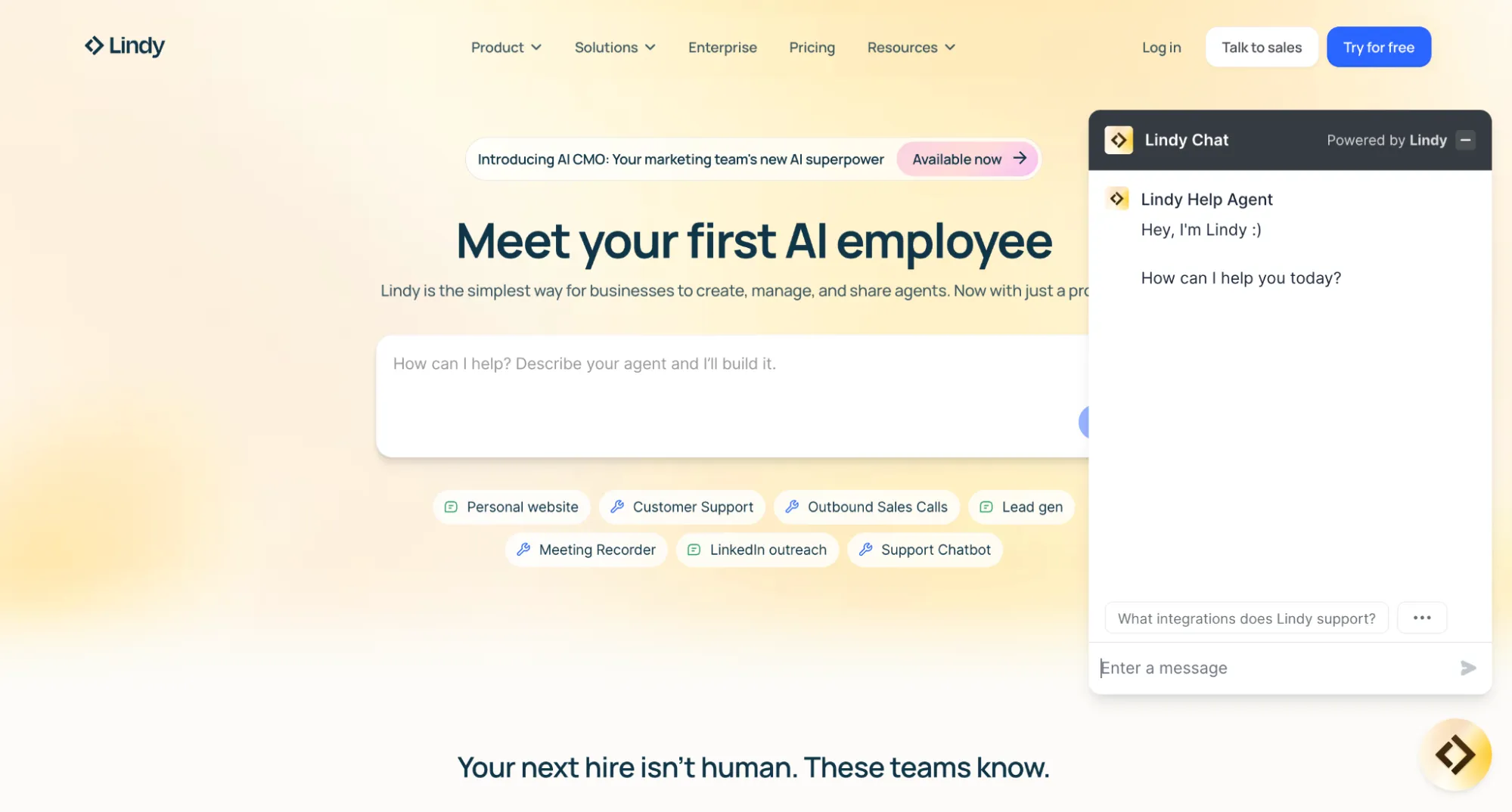
Lindy.ai is ai-powered personal assistant for workflow automation. No-code AI agent platform positioning as 'AI employees' for workflow automation, NOT developer-focused RAG platform. 5,000+ integrations via Pipedream, Claude Sonnet 4.5 default, $5.1M revenue (Oct 2024), 4.9/5 G2 rating. Critical limitation: No public API or SDKs available. Founded in 2023, headquartered in San Francisco, CA, USA, the platform has established itself as a reliable solution in the RAG space.
Overall Rating
81/100
Starting Price
Custom
About Stonly
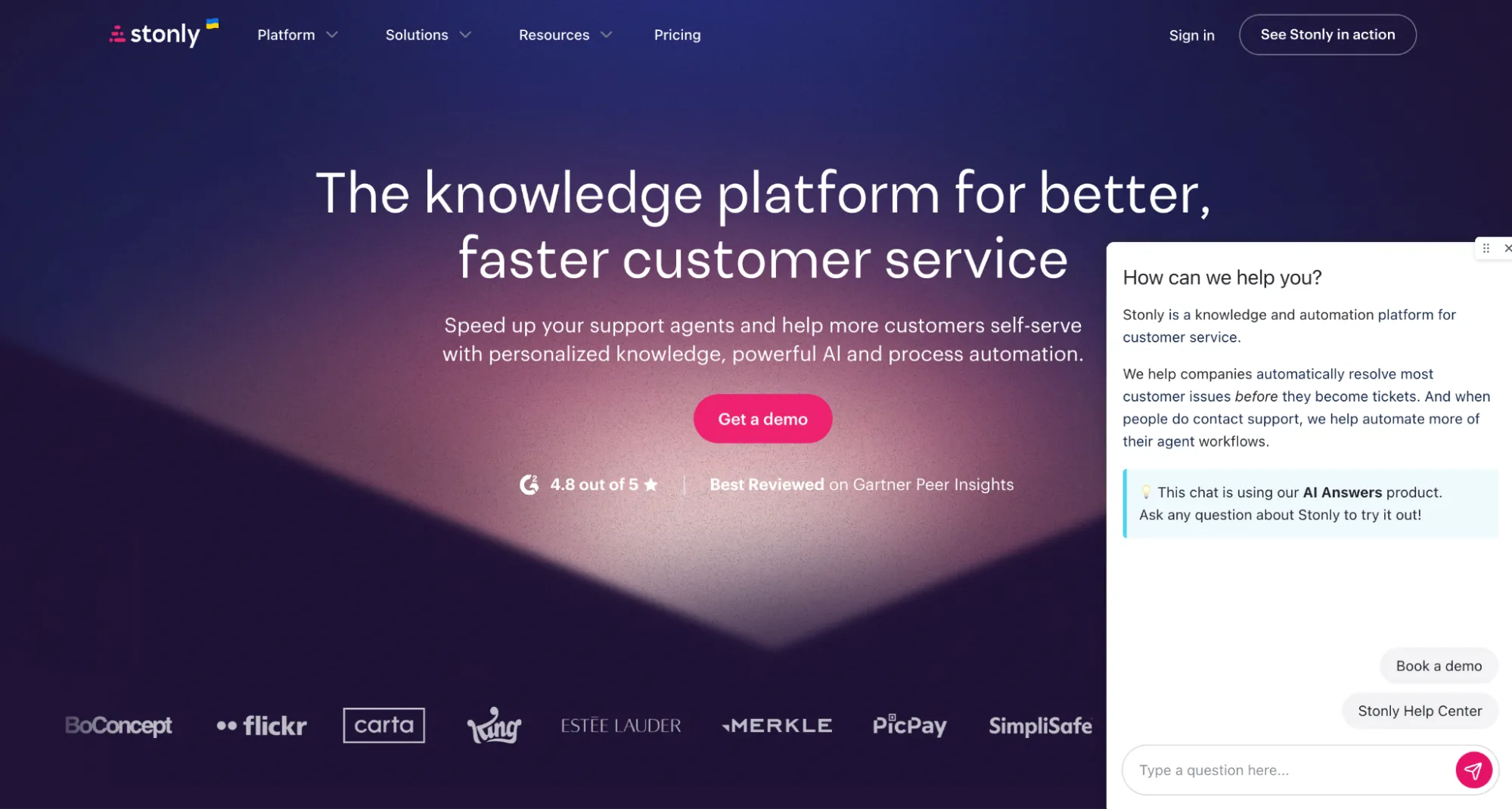
Stonly is interactive knowledge base platform with enterprise ai-powered answers. Stonly is a customer support knowledge management platform with embedded AI capabilities focused on interactive step-by-step guides and help desk agent assistance. Its AI Answers feature (Enterprise-only add-on) achieves 71% self-serve success rates, but it's fundamentally a knowledge base platform with AI features—not a pure RAG-as-a-Service solution. Founded in 2017, headquartered in San Francisco, CA, the platform has established itself as a reliable solution in the RAG space.
Overall Rating
96/100
Starting Price
$249/mo
Key Differences at a Glance
In terms of user ratings, Stonly in overall satisfaction. From a cost perspective, Lindy.ai starts at a lower price point. The platforms also differ in their primary focus: AI Assistant versus Knowledge Management. These differences make each platform better suited for specific use cases and organizational requirements.
⚠️ What This Comparison Covers
We'll analyze features, pricing, performance benchmarks, security compliance, integration capabilities, and real-world use cases to help you determine which platform best fits your organization's needs. All data is independently verified from official documentation and third-party review platforms.
Detailed Feature Comparison
Lindy.ai
Stonly
CustomGPTRECOMMENDED
Data Ingestion & Knowledge Sources
Document Formats: PDF, DOCX, XLSX, CSV, TXT, HTML with 20MB per-file size limit
Audio Support: Full audio file support with automatic transcription included in workflow
YouTube Integration: Dedicated action for YouTube transcript extraction and processing
Website Crawling: Single page or full-site crawling with automatic link following capability
Cloud Integrations: Google Drive (including shared drives), OneDrive, Dropbox, Notion, SharePoint, Intercom, Freshdesk with automatic syncing
Automatic Refresh: Knowledge bases refresh every 24 hours automatically with manual 'Resync Knowledge Base' actions for immediate updates
Search Constraint: When search fuzziness drops below 100, searches limited to first 1,500 files - meaningful constraint for large enterprise deployments
Marketing vs Reality: Documentation claims 'no limit to data you can feed' but practical constraints exist around character limits and file counts
PDF uploads confirmed
Public website crawling: Pages not requiring authentication
Zendesk help center content indexing
Proprietary interactive guide format as primary content model
Note: No Google Drive, Dropbox, Notion, or SharePoint integrations for data ingestion
Note: No YouTube transcript extraction (videos can be embedded but not processed)
Note: No direct Word document (.docx) or HTML file imports confirmed
Note: No automatic content syncing from external sources - updates are manual through Stonly's visual editor
Content limits by tier: Basic (5 guides, 400 views/mo), Small Business (unlimited guides, 4K views/mo), Enterprise (custom)
Content versioning: Side-by-side comparison and instant restore on Business and Enterprise plans
Lets you ingest more than 1,400 file formats—PDF, DOCX, TXT, Markdown, HTML, and many more—via simple drag-and-drop or API.
Crawls entire sites through sitemaps and URLs, automatically indexing public help-desk articles, FAQs, and docs.
Turns multimedia into text on the fly: YouTube videos, podcasts, and other media are auto-transcribed with built-in OCR and speech-to-text.
View Transcription Guide
Connects to Google Drive, SharePoint, Notion, Confluence, HubSpot, and more through API connectors or Zapier.
See Zapier Connectors
Supports both manual uploads and auto-sync retraining, so your knowledge base always stays up to date.
Integrations & Channels
Conservative Marketing: Platform claims '200+ integrations' but actually offers 5,000+ apps via Pipedream Connect partnership
Pre-Built Actions: 2,500+ ready-to-use actions across Pipedream integration ecosystem
Messaging Platforms: Slack (full integration with triggers/actions), WhatsApp (Personal/Business APIs with templates), Microsoft Teams, Telegram, Discord, Twilio SMS
CRM Systems: Salesforce (24 actions, 8 triggers with SOQL/SOSL queries), HubSpot (deep integration for contacts/tickets/deals), Pipedrive, Zoho CRM
Productivity Tools: Notion (16 actions, 7 triggers), Airtable (full CRUD with webhooks), Google Workspace (Gmail, Calendar, Docs, Sheets, Drive complete integration)
Embedding Options: Popup chat widgets, iFrame embeds, unique public links with domain restriction capabilities
Platform Deployment: Specific instructions available for Webflow, WordPress, Squarespace, Wix, Framer implementations
Webhook Support: Inbound webhooks trigger workflows via POST requests with bearer token authentication
HTTP Actions: Call external APIs from within workflows for custom integration needs
Deep help desk integrations: Zendesk, Salesforce Service Cloud, Freshdesk, ServiceNow
Zendesk features: Update tickets from guides, preserve guide progress in tickets, launch Zendesk Chat from widget
Zapier integration: Webhook triggers for form submissions and guide completions
Analytics integrations: Segment, Google Analytics
Embedding options: JavaScript widget, iframe, API deployment
Note: No native Slack, WhatsApp, Telegram, or Microsoft Teams integrations (confirmed by multiple user reviews)
Note: No omnichannel messaging support
Website embedding: All plans support JS widget and iframe embedding
Embeds easily—a lightweight script or iframe drops the chat widget into any website or mobile app.
Offers ready-made hooks for Slack, Zendesk, Confluence, YouTube, Sharepoint, 100+ more.
Explore API Integrations
Connects with 5,000+ apps via Zapier and webhooks to automate your workflows.
Supports secure deployments with domain allowlisting and a ChatGPT Plugin for private use cases.
Hosted CustomGPT.ai offers hosted MCP Server with support for Claude Web, Claude Desktop, Cursor, ChatGPT, Windsurf, Trae, etc.
Read more here.
Agent Autonomy Focus: Differentiates through autonomous operation rather than traditional chatbot conversation functionality
Multi-Lingual Support: Voice agents (Gaia) support 30+ languages, transcription covers 50+ languages, text agents operate in 85+ languages with automatic detection
Lead Capture Excellence: Real-time qualification, email/phone validation, firmographic enrichment, UTM attribution, automatic CRM syncing - claims up to 70% higher conversion vs traditional forms
Human Handoff: Configurable escalation conditions with phone agents able to transfer calls directly to human team members with full context
Conversation Memory: Tracks conversation history within and across sessions through memory feature, but differs from typical RAG retrieval - context persists through workflow execution vs vector similarity search
Weekly Digests: Automated email summaries of task usage and agent performance
Agent Evals: Dedicated feature for benchmarking agent performance against quality standards and preventing regression
Workflow-Centric: Emphasizes autonomous task execution over conversational interaction - fundamentally different from chatbot platforms
Conversational AI Bot: Delivers confident answers backed by verified structured knowledge unlike generic LLMs that can hallucinate or invent answers
Knowledge-grounded responses: Provides answers backed by verified structured knowledge from guides you create preventing fabricated information
AI Agent Assist: Automatically summarizes tickets, suggests right path to resolution, and generates responses for support agents
Three core automation functions: Automatically analyzes and summarizes support ticket content, recommends most relevant Stonly guide/knowledge path to resolve issues, drafts complete responses for agents to review/edit/send
Process automation: Define processes to be followed and link them to different back-office tools to resolve customer requests before they reach support
Personalized knowledge: AI-powered solutions and process automation allow creation of guides, walkthroughs, checklists, knowledge bases adapting to each customer's needs
71% self-serve success rate: With AI Answers feature documented in company data
Hallucination reduction: Knowledge-grounding approach vs generic chatbots reduces off-topic responses
Custom AI Agents: Build autonomous agents powered by GPT-4 and Claude that can perform tasks independently and make real-time decisions based on business knowledge
Decision-Support Capabilities: AI agents analyze proprietary data to provide insights, recommendations, and actionable responses specific to your business domain
Multi-Agent Systems: Deploy multiple specialized AI agents that can collaborate and optimize workflows in areas like customer support, sales, and internal knowledge management
Memory & Context Management: Agents maintain conversation history and persistent context for coherent multi-turn interactions
View Agent Documentation
Tool Integration: Agents can trigger actions, integrate with external APIs via webhooks, and connect to 5,000+ apps through Zapier for automated workflows
Hyper-Accurate Responses: Leverages advanced RAG technology and retrieval mechanisms to deliver context-aware, citation-backed responses grounded in your knowledge base
Continuous Learning: Agents improve over time through automatic re-indexing of knowledge sources and integration of new data without manual retraining
Customization & Branding
Widget Customization: Display name (e.g., 'Technical Support Assistant'), accent color for brand alignment, logo/icon upload for expanded/collapsed states
Messaging Customization: Custom greeting and callout messages for initial engagement prompts
Domain Restrictions: Specify allowed deployment domains for access control and security
White-Labeling Uncertainty: Documentation doesn't explicitly confirm complete Lindy branding removal - unclear if available outside enterprise agreements
No Deep CSS Control: Limited to essential branding elements vs full CSS customization or brandless deployments on standard plans
Persona Customization: Agent-level prompts define personality, tone, and expertise areas
Settings Context: Persists across all task runs for consistent agent behavior
Per-Run Context: Allows dynamic customization per execution for adaptive responses
Memory Snippets: Learning capability saves preferences like 'Don't schedule meetings before 11am' across all sessions
RBAC Controls: Admins can lock configurations and set credit allocation limits per user or team
Visual editor: Intuitive no-code interface for creating guides, decision trees, checklists, forms
CSS customization: Available on all paid plans
White-labeling: Enterprise plan only - complete branding removal
Pre-built templates: Common support scenarios covered
Role-based access control: Advanced permissions on Enterprise plan
Learning curve: Described as "small" - users can create guides in under 30 minutes
Note: No formal content approval workflows documented
Note: Cannot edit guides on mobile devices
Note: Angular framework compatibility issues reported - "Stonly onboarding will work randomly" with dynamic code
Fully white-labels the widget—colors, logos, icons, CSS, everything can match your brand.
White-label Options
Provides a no-code dashboard to set welcome messages, bot names, and visual themes.
Lets you shape the AI’s persona and tone using pre-prompts and system instructions.
Uses domain allowlisting to ensure the chatbot appears only on approved sites.
L L M Model Options
Anthropic Claude: Sonnet 4.5 (default - 'almost no one overrides' per Anthropic case study), Sonnet 3.7, Haiku 3.5
Google Gemini: Gemini 2.5 Pro, Gemini 2.5 Flash, Gemini 2.0 Flash for varied performance/cost trade-offs
Default Selection Rationale: Claude Sonnet 4.5 excels at 'navigating ambiguity in large context windows' and handling 'deeply nested data structures requiring nuanced reasoning'
Business Impact: Lindy achieved 10x customer growth after implementing Claude as default LLM
Per-Action Granularity: Users manually select models per workflow step through visual builder interface
Credit Impact: Model selection affects credit consumption - larger models (Sonnet 4.5) consume more credits than smaller models (Haiku 3.5)
No Automatic Routing: No dynamic model switching or automatic model selection based on query complexity
Manual Configuration: Each workflow action requires explicit model selection vs intelligent automatic routing
Note: Undisclosed proprietary LLM - Stonly does not disclose the specific model powering AI Answers
Note: No model selection - users cannot choose between GPT-3.5, GPT-4, Claude, or other models
Note: No temperature controls, fine-tuning, or model routing
AI Profiles: Up to 20 per team for tone and behavior customization
Custom Instructions: Up to 100 per team defining boundaries and style
Guided AI Answers: Define specific questions that trigger predetermined answers, bypassing AI generation for sensitive scenarios
Automatic fallback: When AI confidence is low, system falls back to ML-powered search rather than forcing an answer
Knowledge-grounded approach: AI responses anchored in Stonly guides, external websites, and selected PDFs to reduce hallucinations
Taps into top models—OpenAI’s GPT-5.1 series, GPT-4 series, and even Anthropic’s Claude for enterprise needs (4.5 opus and sonnet, etc ).
Automatically balances cost and performance by picking the right model for each request.
Model Selection Details
Uses proprietary prompt engineering and retrieval tweaks to return high-quality, citation-backed answers.
Handles all model management behind the scenes—no extra API keys or fine-tuning steps for you.
Developer Experience ( A P I & S D Ks)
CRITICAL LIMITATION: Lindy deliberately prioritizes no-code accessibility over developer tooling - most significant gap for RAG platform comparison
NO Public REST API: Cannot manage agents, create workflows, or query knowledge base programmatically
NO GraphQL Endpoint: No alternative API architecture available for data querying
NO Official SDKs: No Python, JavaScript, Ruby, Go, or any other language SDK exists
NO OpenAPI/Swagger: No machine-readable API specification for automated client generation
NO CLI Tools: No command-line interface for automation or scripting
NO Developer Console: No API sandbox or testing environment available
Available Workarounds: Inbound webhooks (external systems trigger workflows via POST with bearer token), HTTP Request actions (call external APIs from workflows), Code Action (run Python/JavaScript in E2B sandboxes ~150ms startup), Callback URLs (bidirectional webhook communication)
Minimal GitHub Presence: github.com/lindy-ai contains only 3 repositories - build caching utility, ML engineer hiring challenge, no public SDKs or integration libraries
Documentation Quality: User-focused Lindy Academy with step-by-step tutorials, but NO API reference, code samples, or technical architecture documentation
Developer Path: For programmatic RAG control, custom retrieval pipelines, or embedding integration - Lindy offers no viable path forward
REST API: Supports user provisioning, content management, widget control
Mobile SDKs (Enterprise only): iOS, Android, React Native, Flutter
Note: No Python SDK or server-side Node.js SDK
Note: No GraphQL API or OpenAPI/Swagger specification
Note: Rate limits not publicly documented
Note: No API Explorer, sandbox environment, or Postman collections
Note: REST API versioning strategy unclear
Widget API: Programmatic control including opening specific content, listening for events, user identification
CSP whitelisting: Instructions documented for Content Security Policy compliance
Widget versioning documented
Ships a well-documented REST API for creating agents, managing projects, ingesting data, and querying chat.
API Documentation
Backs you up with cookbooks, code samples, and step-by-step guides for every skill level.
Performance & Accuracy
Hybrid Search: Semantic + keyword search with configurable 'Search Fuzziness' (0-100 scale) - at 100 (pure semantic) no file limit, lower values add keyword matching but limit to 1,500 files
Default Results: 4 search results returned (adjustable up to 10 maximum)
Vector Database: NOT disclosed - no documentation mentions Pinecone, Chroma, Qdrant, or any specific vector store
Embedding Models: Undocumented - no information about which embedding models power semantic search
Hallucination Reduction: Architectural constraints vs retrieval optimization - 'poor man's RLHF' with human confirmation before action execution
Learning Integration: Corrections from feedback embedded in vector storage for future retrieval improvement
Structured Workflows: 'Agents on rails' philosophy constrains LLM behavior through predefined workflow steps
NO Published Benchmarks: No RAG accuracy metrics, retrieval precision/recall scores, or latency measurements available
Black Box Implementation: RAG treated as opaque system - no transparency into vector similarity scores, embedding quality, or retrieval mechanisms
Enterprise Concern: Opacity may concern organizations requiring transparency into AI decision-making for compliance or auditing
71% self-serve success rate with AI Answers feature (company data)
70-76% support ticket reduction documented in case studies
99.9% uptime claimed but no published SLA details or response time data
Note: No published latency metrics or performance benchmarks
Note: No real-time analytics - Flow reports update every 15 minutes
Hallucination controls: Strong grounding in structured content reduces off-topic responses
Widget lazy loading: Minimizes impact on host website performance
Delivers sub-second replies with an optimized pipeline—efficient vector search, smart chunking, and caching.
Independent tests rate median answer accuracy at 5/5—outpacing many alternatives.
Benchmark Results
Always cites sources so users can verify facts on the spot.
Maintains speed and accuracy even for massive knowledge bases with tens of millions of words.
Customization & Flexibility
Knowledge Updates: Automatic refresh every 24 hours for all connected cloud sources
Manual Resync: 'Resync Knowledge Base' actions available for immediate updates when needed
Cloud Source Syncing: Google Drive, OneDrive, Dropbox, Notion, SharePoint, Intercom, Freshdesk automatically stay current
Settings Context: Agent-level configuration persists across all task runs for consistent behavior
Per-Run Context: Dynamic customization per execution allows adaptive agent responses
Memory Snippets: Learning preferences saved across sessions (e.g., scheduling constraints, communication style preferences)
Workflow Customization: Visual builder allows business users to modify agent logic without coding
Agent Personality: Configurable tone, expertise areas, and communication style through prompt configuration
No Embedding Control: Cannot customize embedding models, vector similarity thresholds, or retrieval parameters
Limited Developer Flexibility: Black-box RAG implementation prevents optimization of retrieval pipeline or tuning of vector search
N/A
N/A
Pricing & Scalability
Free Plan: $0/month, 400 credits, 1M character knowledge base, basic automations with 100+ integrations
Pro Plan: $49.99/month, 5,000 credits, 20M character knowledge base, phone calls, full integrations, Lindy branding on embed
Business Plans: $199.99-$299.99/month, 20,000-30,000 credits, 50M character knowledge base, custom branding, 30+ languages, unlimited calls
Enterprise Plan: Custom pricing with SSO, SCIM provisioning, dedicated support, custom training
Additional Costs: Phone calls $0.19/minute (GPT-4o), team members $19.99/member/month (Pro/Business), custom automation building $500 one-time, credits $19-$1,199/month (10,000-1,000,000 credits)
Credit Consumption: Varies by model choice and complexity - larger models (Claude Sonnet 4.5) consume more credits than smaller models
Primary User Complaint: Unpredictable costs - credit depletion speed consistently frustrating in reviews, particularly for complex workflows with premium actions
Pricing Transparency Issue: Credit system creates forecasting difficulty vs fixed per-seat or usage-based pricing
Scalability: Character limits constrain large knowledge bases - 50M character cap on Business tier may limit enterprise deployments
Basic (Free): 5 guides, 400 views/month, 1 seat, single language
Small Business ($249/mo, $199/mo annual): Unlimited guides, 4,000 views/month, 5 seats, 3 knowledge bases, CSS customization, Zapier, NPS surveys
Enterprise (Custom, ~$39K/year avg): Custom views, unlimited seats, AI Answers add-on, Mobile SDKs, SAML SSO, white-label, auto-translation, CSAT/CES surveys
Note: AI Answers, Mobile SDK, SAML SSO, white-labeling all Enterprise-gated
Average enterprise contract: ~$39,000 annually according to Vendr procurement data
Runs on straightforward subscriptions: Standard (~$99/mo), Premium (~$449/mo), and customizable Enterprise plans.
Gives generous limits—Standard covers up to 60 million words per bot, Premium up to 300 million—all at flat monthly rates.
View Pricing
Handles scaling for you: the managed cloud infra auto-scales with demand, keeping things fast and available.
Security & Privacy
SOC 2 Type II: Certified by Johanson Group audit - independently validated security controls
HIPAA Compliant: Business Associate Agreement (BAA) available for healthcare deployments
GDPR Compliant: EU data protection and privacy rights compliance
PIPEDA Compliant: Canadian Personal Information Protection and Electronic Documents Act
CCPA Compliant: California Consumer Privacy Act compliance
No AI Training: Customer data NEVER used for AI model training - explicitly stated in privacy policy
Encryption: AES-256 at rest, TLS 1.2+ in transit for comprehensive data protection
Infrastructure: Google Cloud Platform hosting with multi-zone redundancy for high availability
Backups: Daily encrypted backups with secure key management
Access Controls: RBAC (Role-Based Access Control), MFA (Multi-Factor Authentication), Enterprise SSO via existing identity providers, SCIM provisioning for automated user lifecycle
Audit Logs: Track agent activity, data access, configuration changes - available on Business/Enterprise plans
Data Residency Limitation: US-based only - no explicit EU data residency option documented (enterprise inquiries required for region-specific deployments)
No ISO 27001: Information security management certification not documented
Yes SOC 2 Type 2
Yes GDPR compliant
Yes HIPAA compliant
Yes ISO 27001
Yes PCI compliant
Yes CSA Star Level 1
Trust Center: trust.stonly.com with security documentation, subprocessor lists, controls information
Error Tracking: Built-in retry mechanisms with detailed failure monitoring and debugging
Trigger History: Task completion logs track every workflow execution and result
Qualification Metrics: Lead conversion rates and response time tracking for sales/marketing workflows
Completion Rates: Workflow success measurement and handling time analysis
Weekly Digests: Automated email summaries of task usage delivered to administrators
Agent Evals: Benchmarking feature against quality standards with regression prevention
Log Retention: 1 day (Free tier - severely constrains troubleshooting) to 30+ days (Enterprise tier)
Audit Logs: User actions, data access, configuration changes tracked on Business/Enterprise plans
Export Capabilities: Available but SIEM integration specifics require sales confirmation
No RAG-Specific Metrics: Cannot track retrieval precision, recall, embedding quality, or vector similarity scores
Workflow-Centric: Focuses on output quality rather than retrieval precision - notable gap for RAG-specific monitoring vs platforms like LangSmith or Arize
Market Differentiation: Computer Use capability unique among no-code automation platforms - significant competitive advantage
N/A
N/A
Additional Considerations
Best Use Cases: Operations teams automating repetitive workflows without developer resources - lead qualification, email triage, meeting scheduling, CRM updates, customer support routing excel
Primary Strength: Zero-training deployment with Agent Builder ('vibe coding') creates sophisticated automations in 30 seconds vs 15-60 minutes with Zapier/Make for equivalent workflows
Unique Capabilities: Autopilot (Computer Use) enables automations impossible through traditional integrations - can interact with any web-based application without published APIs through AI-powered browser control
Multi-Agent Societies: Multiple specialized Lindies collaborate on complex tasks through delegation rules - Sales (SDR → AE → CS), Support (Triage → Technical → Escalation), Research with specialized investigators
Credit-Based Pricing Reality: Most common user complaint is unpredictable costs - 'credits consumed quickly and unpredictably' makes budget forecasting difficult vs fixed per-seat or usage-based pricing in competitors
Enterprise Limitations: Character limits (50M cap on Business tier) may constrain large deployments, US-only data residency blocks EU customers with strict localization requirements, no ISO 27001 certification may limit procurement
Developer Friction: Deliberately prioritizes no-code accessibility over developer tooling - NO public REST API, NO SDKs, NO CLI tools, NO programmatic RAG control makes it unsuitable for API-first use cases
Support Inconsistency: User reviews note 'inconsistent responsiveness on lower tiers' and 'writing to support twice with no response' - support quality varies significantly by plan tier
Platform Comparison Warning: Fundamentally different architecture from RAG-as-a-Service platforms - comparing Lindy to CustomGPT is misleading as they serve different product categories (workflow automation vs knowledge retrieval)
Limited UI customization: Limited ability to customize user interface and workflows to match specific brand requirements is primary user concern
Basic collaboration tools: Without real-time editing or advanced team management features can hinder team productivity when multiple people need to work together
No offline access: Guides unavailable without internet connectivity reducing usability in areas with unreliable internet
Performance degradation: Can degrade with very large or complex guides causing slower responsiveness indicating scalability concerns
Restricted language options: Limit efficient creation of multilingual content which may be barrier for global organizations
Mixed media support missing: Users find missing features wishing for mixed media support and enhanced reporting tools
Step ordering difficulties: Users report limitations in feature usability and difficulties with step ordering though support offers helpful workarounds
Requires coding knowledge: Unlike most competitors, doesn't advertise as no-code platform - need coding knowledge to track events, target users, stream data, and style content
Image workflow limitations: Inability to use images in base offering limits utility in some workflows with some advanced features requiring extra costs
View-based pricing: Charges additional fees based on guide views - customers exceeding 4,000 guide views/month pay extra $250-500 monthly depending on volume
Integration reliability: Users find lack of integrations limits ability to fully connect Stonly with other tools - Stonly/Zendesk integration isn't as reliable as desired (stops working every few weeks)
Slashes engineering overhead with an all-in-one RAG platform—no in-house ML team required.
Gets you to value quickly: launch a functional AI assistant in minutes.
Stays current with ongoing GPT and retrieval improvements, so you’re always on the latest tech.
Balances top-tier accuracy with ease of use, perfect for customer-facing or internal knowledge projects.
Core Chatbot Features
Chatbot vs Agent Philosophy: Lindy differentiates through autonomous agent operation rather than traditional chatbot conversation - emphasizes task execution over conversational interaction
Multi-Lingual Voice Agents (Gaia): 30+ language support for voice agents, transcription covers 50+ languages, text agents operate in 85+ languages with automatic detection - no manual language configuration required
Lead Capture Excellence: Real-time qualification with email/phone validation, firmographic enrichment, UTM attribution tracking, automatic CRM syncing - claims up to 70% higher conversion vs traditional forms
Human Handoff Logic: Configurable escalation conditions with phone agents able to transfer calls directly to human team members with full conversation context and history preservation
Conversation Memory System: Tracks conversation history within and across sessions through memory feature - context persists through workflow execution vs vector similarity search in traditional RAG systems
Analytics & Performance Tracking: Qualification rates, response times, completion rates, handling times monitored comprehensively with weekly automated email summaries of task usage and agent performance
Agent Evals Feature: Dedicated benchmarking system for measuring agent performance against quality standards and preventing regression over time with automated quality monitoring
Workflow-Centric Design: Emphasizes autonomous task execution over conversational chatbot patterns - structured workflows with 'agents on rails' philosophy constraining LLM behavior through predefined steps
Hallucination Prevention: Architectural constraints vs retrieval optimization - 'poor man's RLHF' with human confirmation before action execution prevents costly mistakes
Learning Integration: Corrections from user feedback embedded in vector storage for future retrieval improvement - system learns from mistakes through Memory Snippets saving preferences like scheduling constraints
Behavior Customization Layers: Settings Context (agent-level configuration persisting across all task runs), Per-Run Context (dynamic customization per execution for adaptive responses), Memory Snippets (learning preferences saved across sessions)
Workflow Flexibility: Visual builder allows business users to modify agent logic without coding - drag-and-drop interface for conversation flows, conditional logic, API integrations, data transformations
Agent Personality Configuration: Configurable tone, expertise areas, communication style through prompt configuration - define professional vs casual voice, technical depth, response verbosity
Knowledge Base Management: Automatic refresh every 24 hours for all connected cloud sources (Google Drive, OneDrive, Dropbox, Notion, SharePoint, Intercom, Freshdesk) with manual 'Resync Knowledge Base' actions for immediate updates
Search Fuzziness Controls: Configurable slider (0-100 scale) balancing semantic vs keyword search - at 100 (pure semantic) no file limit, lower values add keyword matching but constrain to 1,500 files
Retrieval Configuration: Default 4 search results returned (adjustable up to 10 maximum) with hybrid search combining semantic similarity and keyword matching for precision
RBAC Controls: Admins can lock configurations and set credit allocation limits per user or team - prevents unauthorized changes and controls spending across organization
CRITICAL LIMITATION - No Embedding Control: Cannot customize embedding models, vector similarity thresholds, or retrieval parameters - black-box RAG implementation prevents optimization of retrieval pipeline
Developer Flexibility Gap: No programmatic access to knowledge base management, no API for document upload or retrieval configuration, no ability to tune vector search parameters or chunking strategies
CSS and HTML customization: Change layout and look of knowledge base with custom code capabilities
Intuitive customization tools: Easy-to-use tools that don't require code for basic customization
Layout customization: Decide how content is structured and presented with flexible options
Design controls: Manage visual components like colors, logo, or cover image for brand alignment
Personalized content: Use customer data to show personalized content from knowledge base for targeted experiences
Data-driven personalization: Customers see what they need right away when first accessing knowledge base
Analytics insights: Guide usage analytics provide insight into customer behavior for continuous improvement
Highly flexible platform: Users appreciate ability to use Stonly for knowledge bases and guided tours with target properties based on specific user needs
Rich media support: Add images, GIFs, videos, and annotations to bring knowledge base content to life
Third-party scripts: Install scripts from other tools like Google Analytics for extended functionality
Lets you add, remove, or tweak content on the fly—automatic re-indexing keeps everything current.
Shapes agent behavior through system prompts and sample Q&A, ensuring a consistent voice and focus.
Learn How to Update Sources
Supports multiple agents per account, so different teams can have their own bots.
Balances hands-on control with smart defaults—no deep ML expertise required to get tailored behavior.
Multi- Agent Collaboration
Societies of Lindies: Multiple specialized agents collaborate on complex tasks through delegation rules
Agent Specialization: Each Lindy can have unique expertise, knowledge base access, and capabilities
Delegation Rules: Define when and how agents hand off tasks to specialized team members
Workflow Orchestration: Coordinate multi-step processes across different agent specializations
Context Preservation: Full conversation and task history passed between collaborating agents
Use Cases: Sales (SDR → Account Executive → Customer Success), Support (Triage → Technical → Escalation), Complex research with specialized investigators
Learning Across Agents: Feedback and corrections shared across agent society for collective improvement
Sophisticated Workflows: Enable enterprise-grade automation previously requiring human coordination
Agent Builder Integration: Natural language creation of multi-agent systems vs manual workflow mapping
N/A
N/A
Lead Capture & Conversion
Real-Time Qualification: AI evaluates lead quality during initial conversation vs post-submission scoring
Email/Phone Validation: Automatic verification prevents fake submissions and improves data quality
Firmographic Enrichment: Company data appended to leads automatically (size, industry, revenue, etc.)
UTM Attribution: Marketing source tracking preserved through entire lead journey
Automatic CRM Syncing: Qualified leads flow directly to Salesforce, HubSpot, Pipedrive, Zoho without manual data entry
Conversion Claims: Up to 70% higher conversion vs traditional forms (vendor claim - not independently validated)
Conversational Forms: Natural dialogue collection vs static form fields improves completion rates
Routing Logic: Automatically assign leads to appropriate sales reps based on territory, product interest, company size
Follow-Up Automation: Trigger email sequences, meeting scheduling, nurture campaigns based on qualification results
N/A
N/A
R A G-as-a- Service Assessment
Platform Type: NOT A RAG-AS-A-SERVICE PLATFORM - No-code AI agent/workflow automation platform targeting business users vs developers
Critical Distinction: Lindy prioritizes business user accessibility over programmatic RAG control - fundamentally different design philosophy
RAG Implementation: Black-box hybrid search (semantic + keyword) with configurable fuzziness but no exposed retrieval controls
Vector Database: Undisclosed - no documentation of Pinecone, Chroma, Qdrant, or specific vector store
Embedding Models: Undocumented - no information about which models power semantic search
API Availability: NO public REST API, GraphQL endpoint, or official SDKs for programmatic access
Developer Tools: NO OpenAPI spec, CLI tools, developer console, API sandbox, or technical documentation
Benchmarks: No published RAG accuracy, latency, or performance metrics available
Target Audience: Operations teams automating workflows vs developers building custom RAG applications
Use Case Mismatch: Comparing Lindy to CustomGPT.ai is architecturally misleading - fundamentally different product categories serving different user personas
Note: NOT a RAG-as-a-Service platform - fundamentally a knowledge base tool with embedded AI
Data source flexibility: Limited (PDF, public web, Zendesk only) vs comprehensive RAG platforms
LLM model options: None (undisclosed proprietary model, no user selection)
API-first architecture: Weak (widget-focused, limited SDKs, no server-side SDKs)
Performance benchmarks: Not published
Self-service AI pricing: Not available (Enterprise-gated, ~$39K/year)
Help desk integration depth: Excellent (best-in-class Zendesk, Salesforce, Freshdesk)
Hallucination controls: Strong (grounded in structured content)
Best for: Customer support ticket deflection, not flexible RAG backends
Not ideal for: Developers seeking pure RAG API, multi-tenant SaaS RAG backends, use cases needing model selection/fine-tuning
Core Architecture: Serverless RAG infrastructure with automatic embedding generation, vector search optimization, and LLM orchestration fully managed behind API endpoints
API-First Design: Comprehensive REST API with well-documented endpoints for creating agents, managing projects, ingesting data (1,400+ formats), and querying chat
API Documentation
Developer Experience: Open-source Python SDK (customgpt-client), Postman collections, OpenAI API endpoint compatibility, and extensive cookbooks for rapid integration
No-Code Alternative: Wizard-style web dashboard enables non-developers to upload content, brand widgets, and deploy chatbots without touching code
Hybrid Target Market: Serves both developer teams wanting robust APIs AND business users seeking no-code RAG deployment - unique positioning vs pure API platforms (Cohere) or pure no-code tools (Jotform)
RAG Technology Leadership: Industry-leading answer accuracy (median 5/5 benchmarked), 1,400+ file format support with auto-transcription, proprietary anti-hallucination mechanisms, and citation-backed responses
Benchmark Details
Deployment Flexibility: Cloud-hosted SaaS with auto-scaling, API integrations, embedded chat widgets, ChatGPT Plugin support, and hosted MCP Server for Claude/Cursor/ChatGPT
Enterprise Readiness: SOC 2 Type II + GDPR compliance, full white-labeling, domain allowlisting, RBAC with 2FA/SSO, and flat-rate pricing without per-query charges
Use Case Fit: Ideal for organizations needing both rapid no-code deployment AND robust API capabilities, teams handling diverse content types (1,400+ formats, multimedia transcription), and businesses requiring production-ready RAG without building ML infrastructure from scratch
Competitive Positioning: Bridges the gap between developer-first platforms (Cohere, Deepset) requiring heavy coding and no-code chatbot builders (Jotform, Kommunicate) lacking API depth - offers best of both worlds
Competitive Positioning
Primary Advantage: Exceptional no-code usability (4.9/5 G2) with 5,000+ integrations via Pipedream and Autopilot (Computer Use) unique capabilities
Claude Sonnet 4.5 Default: Best-in-class language understanding driving 10x customer growth - 'almost no one overrides' per Anthropic
Multi-Agent Sophistication: Societies of Lindies enable complex task delegation impossible with single-bot platforms
Strong Compliance: SOC 2 Type II, HIPAA with BAA, GDPR, PIPEDA, CCPA enables regulated industry adoption
Financial Validation: $5.1M revenue (Oct 2024), $50M+ funding from Menlo Ventures, Battery Ventures, Coatue validates market fit
Setup Speed: 30 seconds vs 15-60 minutes with Zapier/Make - dramatic productivity advantage for business users
Primary Challenge: NOT a developer-focused RAG platform - no API, no SDKs, opaque RAG implementation blocks technical evaluation
Pricing Unpredictability: Credit-based model most common user complaint - costs difficult to forecast vs fixed tiers
Data Residency Limitation: US-only hosting blocks EU customers with strict data localization requirements
Market Position: Competes with Zapier, Make, n8n for workflow automation budget vs RAG API platforms (CustomGPT.ai, Pinecone Assistant)
Use Case Fit: Exceptional for business users automating workflows without developers; poor fit for developers requiring programmatic RAG capabilities
Comparison Warning: Direct feature comparison with RAG-as-a-Service platforms is misleading - different product categories, target audiences, and value propositions
Unique strength: Interactive guide format for structured support content
vs CustomGPT: Not comparable - different product categories (knowledge base vs RAG-as-a-Service)
vs Zendesk: Lighter-weight alternative focused on self-service guides vs full customer service platform
vs traditional chatbots: Interactive guides provide structured paths vs free-form conversation
Target audience: Support teams using Zendesk/Salesforce, not developers building RAG applications
70-76% ticket reduction documented in case studies
71% self-serve success rate with AI Answers
Enterprise compliance suitable for regulated industries
Market position: Leading all-in-one RAG platform balancing enterprise-grade accuracy with developer-friendly APIs and no-code usability for rapid deployment
Target customers: Mid-market to enterprise organizations needing production-ready AI assistants, development teams wanting robust APIs without building RAG infrastructure, and businesses requiring 1,400+ file format support with auto-transcription (YouTube, podcasts)
Key competitors: OpenAI Assistants API, Botsonic, Chatbase.co, Azure AI, and custom RAG implementations using LangChain
Competitive advantages: Industry-leading answer accuracy (median 5/5 benchmarked), 1,400+ file format support with auto-transcription, SOC 2 Type II + GDPR compliance, full white-labeling included, OpenAI API endpoint compatibility, hosted MCP Server support (Claude, Cursor, ChatGPT), generous data limits (60M words Standard, 300M Premium), and flat monthly pricing without per-query charges
Pricing advantage: Transparent flat-rate pricing at $99/month (Standard) and $449/month (Premium) with generous included limits; no hidden costs for API access, branding removal, or basic features; best value for teams needing both no-code dashboard and developer APIs in one platform
Use case fit: Ideal for businesses needing both rapid no-code deployment and robust API capabilities, organizations handling diverse content types (1,400+ formats, multimedia transcription), teams requiring white-label chatbots with source citations for customer-facing or internal knowledge projects, and companies wanting all-in-one RAG without managing ML infrastructure
A I Models
Default Model - Claude Sonnet 4.5: Primary LLM 'almost no one overrides' according to Anthropic case study - excels at navigating ambiguity in large context windows
Anthropic Claude Family: Sonnet 4.5 (default, best performance), Sonnet 3.7 (balanced), Haiku 3.5 (fast, cost-effective) with 200K token context windows
Claude Sonnet 4.5 Rationale: Selected for 'navigating ambiguity in large context windows' and handling 'deeply nested data structures requiring nuanced reasoning'
Business Impact: Lindy achieved 10x customer growth after implementing Claude as default LLM - significant competitive advantage
Model Switching: Each workflow action requires explicit model selection - no automatic routing based on query complexity or cost optimization
No Dynamic Model Routing: Cannot intelligently switch between models based on task requirements - manual configuration only vs AI-powered model selection
Limited Model Experimentation: No A/B testing capabilities or automatic model performance comparison across different LLMs
Undisclosed Proprietary LLM: Stonly does not publicly disclose the specific model powering AI Answers feature
No Model Selection: Users cannot choose between GPT-3.5, GPT-4, Claude, Gemini, or other LLM providers
No Temperature Controls: No user-facing controls for adjusting response creativity, randomness, or formatting
No Fine-Tuning or Model Routing: Cannot customize model behavior beyond predefined AI Profiles and Custom Instructions
AI Profiles (Up to 20): Define tone, boundaries, and behavior for different use cases or audiences
Custom Instructions (Up to 100): Set specific rules and style guidelines for AI response generation
Guided AI Answers: Predefined responses for specific questions bypassing AI generation for sensitive scenarios
Automatic Fallback: Low-confidence scenarios trigger fallback to ML-powered search rather than forcing unreliable AI answer
Knowledge-Grounded Approach: AI responses anchored in Stonly guides, external websites, and PDFs to reduce hallucinations
Primary models: GPT-5.1 and 4 series from OpenAI, and Anthropic's Claude 4.5 (opus and sonnet) for enterprise needs
Automatic model selection: Balances cost and performance by automatically selecting the appropriate model for each request
Model Selection Details
Proprietary optimizations: Custom prompt engineering and retrieval enhancements for high-quality, citation-backed answers
Managed infrastructure: All model management handled behind the scenes - no API keys or fine-tuning required from users
Anti-hallucination technology: Advanced mechanisms ensure chatbot only answers based on provided content, improving trust and factual accuracy
Search Fuzziness: 100 = pure semantic search (no file limit), lower values add keyword matching but limit to first 1,500 files - trade-off between precision and scale
Default Retrieval: 4 search results returned per query (adjustable up to 10 maximum) for context-aware responses
Document Processing: PDF, DOCX, XLSX, CSV, TXT, HTML with 20MB per-file size limit and automatic text extraction
Audio & Video: Full audio file support with automatic transcription, YouTube transcript extraction via dedicated action
Website Crawling: Single page or full-site crawling with automatic link following and sitemap discovery
Cloud Integration: Google Drive (shared drives), OneDrive, Dropbox, Notion, SharePoint, Intercom, Freshdesk with automatic 24-hour sync
Manual Refresh: 'Resync Knowledge Base' actions for immediate updates when 24-hour sync insufficient
Vector Database: NOT disclosed - no documentation mentions Pinecone, Chroma, Qdrant, or proprietary implementation
Embedding Models: Undocumented - no information about which embedding models power semantic search or customization options
Chunking Strategy: Not configurable - automatic text segmentation with undisclosed chunk size and overlap parameters
Hallucination Reduction: 'Agents on rails' philosophy constrains LLM behavior through predefined workflow steps - architectural constraints vs retrieval optimization
Learning Integration: Human feedback corrections embedded in vector storage for future retrieval improvement
CRITICAL LIMITATION - Black Box Implementation: RAG treated as opaque system - no transparency into vector similarity scores, embedding quality, retrieval mechanisms
CRITICAL LIMITATION - No Published Benchmarks: No RAG accuracy metrics, retrieval precision/recall scores, or latency measurements available
CRITICAL LIMITATION - No Developer Control: Cannot customize embedding models, similarity thresholds, reranking, or retrieval parameters
Enterprise Concern: Opacity may concern organizations requiring transparency into AI decision-making for compliance auditing or regulatory requirements
AI Answers (Enterprise Add-On): Generative AI responses grounded in Stonly guides, external websites, and selected PDFs
Knowledge-Grounding: Responses anchored to structured content (interactive guides, decision trees, checklists) reducing hallucinations vs generic chatbots
Confidence-Based Fallback: Automatic switch to ML-powered search when AI confidence is low preventing unreliable answers
Multi-Source Ingestion: PDF uploads, public website crawling, Zendesk help center content indexing
Interactive Guide Format: Proprietary content model combining structured workflows with AI-generated answers
Limited Data Sources: No Google Drive, Dropbox, Notion, SharePoint, or YouTube transcript extraction
Manual Content Updates: Updates through Stonly's visual editor—no automatic syncing from external sources
71% Self-Serve Success Rate: Documented effectiveness of AI Answers in reducing support escalations
Hallucination Controls: Strong grounding in structured content vs open-ended conversational AI
Core architecture: GPT-4 combined with Retrieval-Augmented Generation (RAG) technology, outperforming OpenAI in RAG benchmarks
RAG Performance
Anti-hallucination technology: Advanced mechanisms reduce hallucinations and ensure responses are grounded in provided content
Benchmark Details
Automatic citations: Each response includes clickable citations pointing to original source documents for transparency and verification
Optimized pipeline: Efficient vector search, smart chunking, and caching for sub-second reply times
Scalability: Maintains speed and accuracy for massive knowledge bases with tens of millions of words
Context-aware conversations: Multi-turn conversations with persistent history and comprehensive conversation management
Source verification: Always cites sources so users can verify facts on the spot
Use Cases
Primary Use Case: No-code workflow automation for operations teams, sales teams, marketing teams requiring AI-powered task execution without developers
Sales Automation: Lead qualification with real-time scoring, email/phone validation, firmographic enrichment, CRM syncing (Salesforce, HubSpot, Pipedrive)
Customer Support: Email triage, ticket routing, FAQ responses, escalation workflows with human handoff and context transfer
Healthcare: Patient appointment scheduling, medical record processing (HIPAA-compliant), insurance verification, billing automation
Legal: Document review, contract analysis, case research, deadline tracking with confidentiality controls
Voice Agents (Gaia): Phone call automation with 30+ language support, call transcription in 50+ languages, call transfer to humans
Team Sizes: Individual contributors to enterprise teams (1-500+ users) - scales from solopreneurs to Fortune 500 companies
Industries: Technology, professional services, healthcare, legal, financial services, e-commerce, real estate - any industry with repetitive workflows
Implementation Speed: 30 seconds with Agent Builder ('vibe coding') vs 15-60 minutes with Zapier/Make - fastest setup in automation category
NOT Ideal For: Developers needing programmatic RAG APIs, custom retrieval pipeline tuning, embedding model experimentation, transparent RAG implementation details, organizations requiring EU data residency
Customer Support Ticket Deflection: 70-76% ticket reduction through interactive self-service guides and AI Answers
Help Desk Integration: Deep Zendesk, Salesforce Service Cloud, Freshdesk, ServiceNow integration for unified support workflows
Interactive Onboarding: Step-by-step guides, decision trees, and checklists for product onboarding and user education
Knowledge Base Enhancement: Augment traditional help centers with interactive guides and AI-powered search
Agent Assistance: Provide support agents with guided workflows and AI answers during live interactions
Multi-Language Support: Auto-translation on Enterprise plan for global support teams and multilingual customers
Complex Troubleshooting: Decision tree logic guides users through multi-step troubleshooting processes
Compliance & Training: Structured guides ensuring consistent information delivery for regulated industries
Customer support automation: AI assistants handling common queries, reducing support ticket volume, providing 24/7 instant responses with source citations
Internal knowledge management: Employee self-service for HR policies, technical documentation, onboarding materials, company procedures across 1,400+ file formats
Sales enablement: Product information chatbots, lead qualification, customer education with white-labeled widgets on websites and apps
Documentation assistance: Technical docs, help centers, FAQs with automatic website crawling and sitemap indexing
Educational platforms: Course materials, research assistance, student support with multimedia content (YouTube transcriptions, podcasts)
Healthcare information: Patient education, medical knowledge bases (SOC 2 Type II compliant for sensitive data)
Automatic Tier Upgrades: Exceeding limits for 2 consecutive months triggers automatic upgrade and billing adjustment
Enterprise-Gated Features: AI Answers, Mobile SDKs, SAML SSO, white-labeling all require Enterprise plan
Average Enterprise Contract: ~$39,000 annually according to Vendr procurement data
Standard Plan: $99/month or $89/month annual - 10 custom chatbots, 5,000 items per chatbot, 60 million words per bot, basic helpdesk support, standard security
View Pricing
Premium Plan: $499/month or $449/month annual - 100 custom chatbots, 20,000 items per chatbot, 300 million words per bot, advanced support, enhanced security, additional customization
Enterprise Plan: Custom pricing - Comprehensive AI solutions, highest security and compliance, dedicated account managers, custom SSO, token authentication, priority support with faster SLAs
Enterprise Solutions
7-Day Free Trial: Full access to Standard features without charges - available to all users
Annual billing discount: Save 10% by paying upfront annually ($89/mo Standard, $449/mo Premium)
Flat monthly rates: No per-query charges, no hidden costs for API access or white-labeling (included in all plans)
Managed infrastructure: Auto-scaling cloud infrastructure included - no additional hosting or scaling fees
Support & Documentation
Email Support: support@lindy.ai (general), security@lindy.ai (security issues), privacy@lindy.ai (privacy concerns) with tier-based response times
Slack Community: Peer support network for knowledge sharing among Lindy users and automation best practices
Community Forum: community.lindy.ai for discussions, troubleshooting, feature requests with active user participation
Documentation: Lindy Academy with step-by-step tutorials for business users, video walkthroughs, use case examples
Onboarding: Self-service for Free/Pro, guided onboarding for Business, white-glove implementation for Enterprise with custom training
User-Focused Resources: Strong for business user adoption with non-technical language, visual guides, practical examples
CRITICAL GAP - No Developer Documentation: No API reference, code samples, technical architecture documentation, OpenAPI specs
CRITICAL GAP - No Phone Support: Email and community only for Free/Pro/Business tiers - phone access restricted to Enterprise only
LIMITATION - Support Quality Inconsistency: User reviews note 'inconsistent responsiveness on lower tiers' - common Trustpilot criticism
LIMITATION - Slow Response Times: Some users report 'writing to support twice with no response' - support quality concerns for non-enterprise customers
4.8/5 G2 Rating: 132 reviews with consistently high satisfaction scores
Ease of Use Praised: "Ease of use" mentioned 32 times in G2 reviews indicating intuitive platform
Help Center Documentation: Comprehensive guides and tutorials for platform features
Email and Chat Support: Standard support channels for all paid plans
Dedicated Support (Enterprise): Priority support with dedicated account team and faster response times
Pre-Built Templates: Common support scenario templates accelerating guide creation
Quick Onboarding: Users report creating guides in under 30 minutes with small learning curve
REST API Documentation: API reference for user provisioning, content management, and widget control
Mobile SDKs (Enterprise): iOS, Android, React Native, Flutter for native app integration
Limited Developer Resources: No Python/Node.js SDKs, GraphQL, OpenAPI specs, or API Explorer/sandbox
Documentation hub: Rich docs, tutorials, cookbooks, FAQs, API references for rapid onboarding
Developer Docs
Email and in-app support: Quick support via email and in-app chat for all users
Premium support: Premium and Enterprise plans include dedicated account managers and faster SLAs
Code samples: Cookbooks, step-by-step guides, and examples for every skill level
API Documentation
Active community: User community plus 5,000+ app integrations through Zapier ecosystem
Regular updates: Platform stays current with ongoing GPT and retrieval improvements automatically
Limitations & Considerations
NO Public REST API: Cannot manage agents, create workflows, or query knowledge base programmatically - blocks developer integration
NO Official SDKs: No Python, JavaScript, Ruby, Go, or any language SDK for programmatic access - workflow automation only
NO CLI Tools: No command-line interface for automation or scripting - dashboard-only management
NO Developer Console: No API sandbox, testing environment, or technical documentation for developers
Black Box RAG Implementation: Vector database, embedding models, similarity thresholds completely undisclosed - no transparency
No RAG Benchmarks: No published accuracy metrics, retrieval precision/recall, or latency measurements for evaluation
Search Fuzziness Constraint: Lower fuzziness values limit searches to first 1,500 files - meaningful limitation for large deployments
Character Storage Limits: 50M character maximum on Business tier - may constrain large enterprise knowledge bases vs unlimited competitors
Unpredictable Credit Consumption: Most common user complaint - 'credits depleted quickly and unpredictably' makes budgeting difficult
US-Only Data Residency: No documented EU data residency option - blocks customers with strict data localization requirements (GDPR, Digital Sovereignty)
No ISO 27001 Certification: Only SOC 2 Type II documented - ISO 27001 absence may limit enterprise procurement in regulated industries
1-Day Free Tier Log Retention: Severely limits troubleshooting and security incident investigation vs 30+ day industry standard
Learning Curve for Complex Workflows: Despite 'vibe coding' simplicity, sophisticated multi-agent systems and delegation rules require workflow design expertise
Support Quality Inconsistency: Mixed reviews noting slow/unresponsive support for non-enterprise tiers - support quality varies significantly by plan
No Manual Model Performance Comparison: Cannot A/B test different LLMs or compare model performance - manual experimentation required
Credit-Based Pricing Opacity: Difficult to forecast costs vs fixed per-seat or per-query pricing - budget planning challenging
NOT Ideal For: Developers needing RAG APIs, teams requiring transparent RAG implementation, EU data residency requirements, organizations needing predictable pricing, technical teams wanting embedding/retrieval control
Platform Category Mismatch: Fundamentally a workflow automation platform (competes with Zapier/Make) NOT a RAG-as-a-Service platform - architectural comparison to CustomGPT.ai is misleading
NOT a RAG-as-a-Service Platform: Fundamentally a knowledge base tool with embedded AI—not a flexible RAG backend
AI Answers Enterprise-Gated: Core AI capabilities require expensive Enterprise plan (~$39K/year)—not available on $249/month Small Business tier
Undisclosed AI Model: No transparency on LLM provider—users cannot select or customize models
Limited Data Source Flexibility: PDF, public web, Zendesk only—missing Google Drive, Dropbox, Notion, SharePoint, YouTube
No Automatic Content Syncing: Manual updates through visual editor—no real-time integration with external knowledge sources
Missing Consumer Messaging: No Slack, WhatsApp, Telegram, Microsoft Teams native integrations (confirmed by user reviews)
No Omnichannel Messaging: Primarily website embedding and help desk integration—limited multi-channel support
Cannot Edit on Mobile: Guide creation and editing restricted to desktop—mobile limitation for on-the-go teams
No Real-Time Analytics: Flow reports update every 15 minutes—not true real-time monitoring
Limited Developer API: No Python/Node.js SDKs, GraphQL, Swagger specs, or API sandbox for testing
Overage Pricing Escalation: View limits can trigger expensive automatic upgrades after 2 consecutive months
Not Ideal For: Developers seeking pure RAG API, multi-tenant SaaS RAG backends, use cases needing model selection/fine-tuning, or flexible data source integration
Managed service approach: Less control over underlying RAG pipeline configuration compared to build-your-own solutions like LangChain
Vendor lock-in: Proprietary platform - migration to alternative RAG solutions requires rebuilding knowledge bases
Model selection: Limited to OpenAI (GPT-5.1 and 4 series) and Anthropic (Claude, opus and sonnet 4.5) - no support for other LLM providers (Cohere, AI21, open-source models)
Pricing at scale: Flat-rate pricing may become expensive for very high-volume use cases (millions of queries/month) compared to pay-per-use models
Customization limits: While highly configurable, some advanced RAG techniques (custom reranking, hybrid search strategies) may not be exposed
Language support: Supports 90+ languages but performance may vary for less common languages or specialized domains
Real-time data: Knowledge bases require re-indexing for updates - not ideal for real-time data requirements (stock prices, live inventory)
Enterprise features: Some advanced features (custom SSO, token authentication) only available on Enterprise plan with custom pricing
Core Knowledge Base Features
N/A
Interactive step-by-step guides with visual flow builder
After analyzing features, pricing, performance, and user feedback, both Lindy.ai and Stonly are capable platforms that serve different market segments and use cases effectively.
When to Choose Lindy.ai
You value exceptional no-code usability: 4.9/5 g2 rating, 30-second setup vs 15-60 min with zapier/make
Massive integration ecosystem: 5,000+ apps via Pipedream Connect with 2,500+ pre-built actions
Claude Sonnet 4.5 default drives 10x customer growth - best-in-class language understanding
Best For: Exceptional no-code usability: 4.9/5 G2 rating, 30-second setup vs 15-60 min with Zapier/Make
When to Choose Stonly
You value exceptional ease of use - 4.8/5 g2 rating with intuitive visual editor praised in 32 reviews
Deep help desk integrations - bidirectional Zendesk, Salesforce, Freshdesk, ServiceNow connections
Strong compliance - SOC 2 Type 2, GDPR, HIPAA, ISO 27001, PCI, CSA Star Level 1
Best For: Exceptional ease of use - 4.8/5 G2 rating with intuitive visual editor praised in 32 reviews
Migration & Switching Considerations
Switching between Lindy.ai and Stonly requires careful planning. Consider data export capabilities, API compatibility, and integration complexity. Both platforms offer migration support, but expect 2-4 weeks for complete transition including testing and team training.
Pricing Comparison Summary
Lindy.ai starts at custom pricing, while Stonly begins at $249/month. Total cost of ownership should factor in implementation time, training requirements, API usage fees, and ongoing support. Enterprise deployments typically see annual costs ranging from $10,000 to $500,000+ depending on scale and requirements.
Our Recommendation Process
Start with a free trial - Both platforms offer trial periods to test with your actual data
Define success metrics - Response accuracy, latency, user satisfaction, cost per query
Test with real use cases - Don't rely on generic demos; use your production data
Evaluate total cost - Factor in implementation time, training, and ongoing maintenance
Check vendor stability - Review roadmap transparency, update frequency, and support quality
For most organizations, the decision between Lindy.ai and Stonly comes down to specific requirements rather than overall superiority. Evaluate both platforms with your actual data during trial periods, focusing on accuracy, latency, ease of integration, and total cost of ownership.
📚 Next Steps
Ready to make your decision? We recommend starting with a hands-on evaluation of both platforms using your specific use case and data.
• Review: Check the detailed feature comparison table above
• Test: Sign up for free trials and test with real queries
• Calculate: Estimate your monthly costs based on expected usage
• Decide: Choose the platform that best aligns with your requirements
Last updated: December 11, 2025 | This comparison is regularly reviewed and updated to reflect the latest platform capabilities, pricing, and user feedback.
The most accurate RAG-as-a-Service API. Deliver production-ready reliable RAG applications faster. Benchmarked #1 in accuracy and hallucinations for fully managed RAG-as-a-Service API.
DevRel at CustomGPT.ai. Passionate about AI and its applications. Here to help you navigate the world of AI tools and make informed decisions for your business.
People Also Compare
Explore more AI tool comparisons to find the perfect solution for your needs

Join the Discussion
Loading comments...