Data Ingestion & Knowledge Sources
Supported formats – PDF, Word, PowerPoint, plain text up to 100MB per fileWebsite crawler – Import up to 25,000 pages with auto re-imports (Premium/Advanced)Document capacity – Free (100), Basic (1K), Premium (10K), Advanced (50K total)Storage – Amazon S3 SSE-S3 encryption, Pinecone vector database (SOC 2 Type II)⚠️ NO YouTube/cloud integrations – No video transcripts, requires Zapier for Drive/Dropbox/Notion
✅ Auto-Indexing – Points at files, indexes unstructured data automatically without manual setup✅ Auto-Sync – Connected repositories sync automatically, document changes reflected almost instantlyFile Formats – Supports PDF, DOCX, PPT, TXT and common enterprise formats⚠️ Limited Scope – No website crawling or YouTube ingestion, narrower than CustomGPTEnterprise Scale – Handles large corporate data sets, exact limits not published
1,400+ file formats – PDF, DOCX, Excel, PowerPoint, Markdown, HTML + auto-extraction from ZIP/RAR/7Z archivesWebsite crawling – Sitemap indexing with configurable depth for help docs, FAQs, and public contentMultimedia transcription – AI Vision, OCR, YouTube/Vimeo/podcast speech-to-text built-inCloud integrations – Google Drive, SharePoint, OneDrive, Dropbox, Notion with auto-syncKnowledge platforms – Zendesk, Freshdesk, HubSpot, Confluence, Shopify connectorsMassive scale – 60M words (Standard) / 300M words (Premium) per bot with no performance degradation
Native Slack/Discord – Free for all users with /assign-bot command and @mentionsZapier integration – 5,000+ apps including Telegram, Facebook Messenger, WhatsAppREST API v1.0 – Full API access on all paid plans at developers.meetcody.ai⚠️ NO Teams/webhooks – Requires Zapier for Microsoft Teams, no event-driven notifications
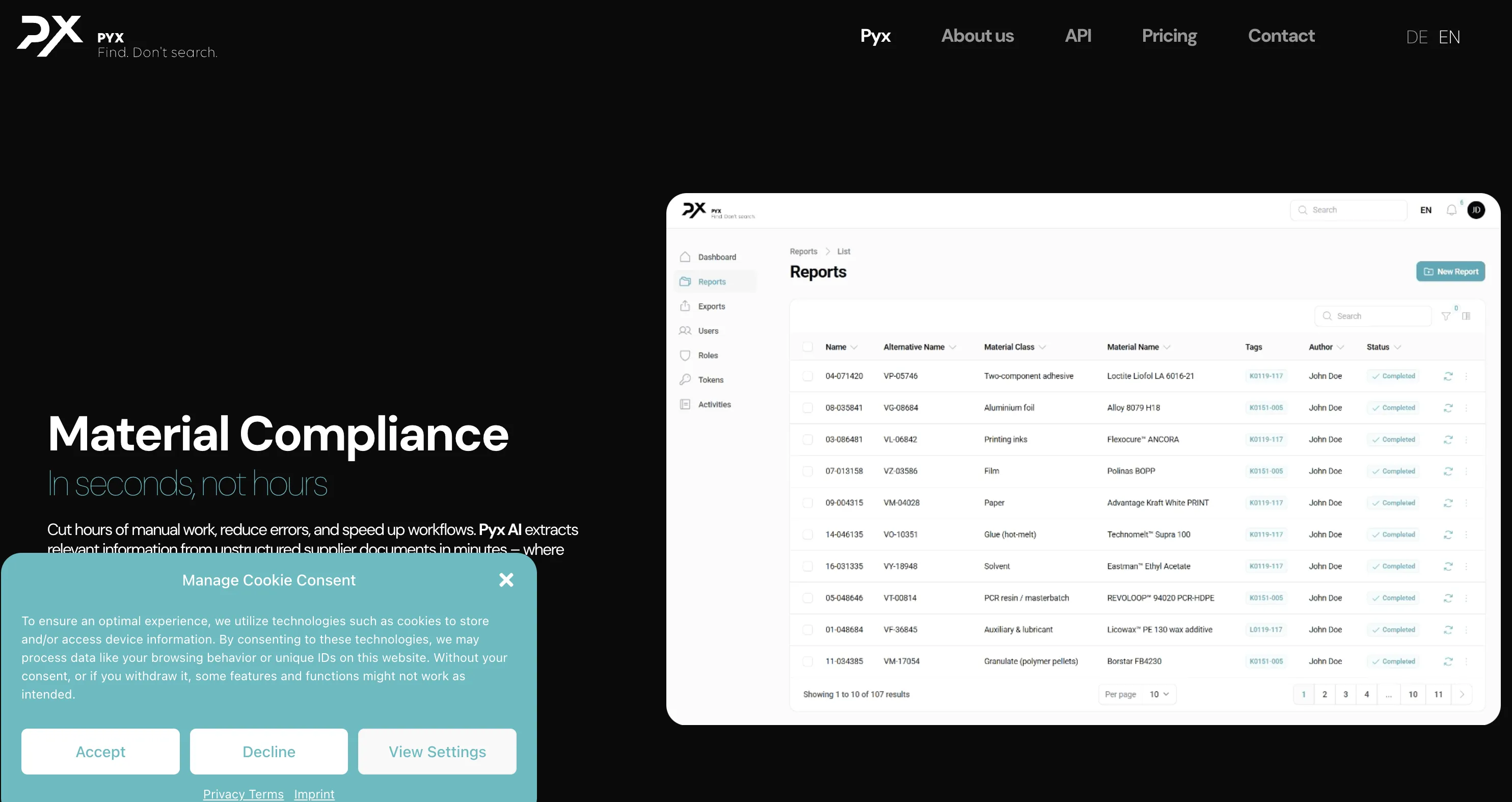
⚠️ Standalone Only – Own chat/search interface, not a "deploy everywhere" platform⚠️ No External Channels – No Slack bot, Zapier connector, or public APIWeb/Desktop UI – Users interact through Pyx's interface, minimal third-party chat synergyCustom Integration – Deeper integrations require custom dev work or future updates
Website embedding – Lightweight JS widget or iframe with customizable positioningCMS plugins – WordPress, WIX, Webflow, Framer, SquareSpace native support5,000+ app ecosystem – Zapier connects CRMs, marketing, e-commerce toolsMCP Server – Integrate with Claude Desktop, Cursor, ChatGPT, WindsurfOpenAI SDK compatible – Drop-in replacement for OpenAI API endpointsLiveChat + Slack – Native chat widgets with human handoff capabilities
Native Slack & Discord Integration ( Differentiator)
✅ Free on all plans – Native Slack/Discord integrations even on Free tier/assign-bot command – Dedicate bots to channels for departmental organizationContext preservation – History maintained in threads for multi-turn interactionsCompetitive advantage – Zero-friction vs API integrations (7.5/10 differentiator)
N/A
N/A
Source Attribution & Transparency ( Core Differentiator)
✅ Automatic citation – Every response includes links to exact documents used for verificationSource verification interface – Centralized logs show which documents informed each response for auditsTrust building – Users validate AI answers against sources reducing hallucination concernsCompliance advantage – Source traceability supports explainable AI requirements in regulated industries (9/10 differentiator)
N/A
N/A
Focus Mode ( Core Differentiator)
✅ Targeted context injection – Inject up to 1,000 specific documents into conversation contextUse cases – Department-specific queries, project-scoped assistance, client-specific information isolationNoise reduction – Constrains retrieval to relevant subset preventing irrelevant information interferencePerformance advantage – Smaller search space improves retrieval speed and relevance (8.5/10 differentiator)
N/A
N/A
Multilingual support – Build and interact in any languageConversation memory – Configurable token distribution (70% context, 10% history, 20% response)History retention – 14 days (Basic), 30 days (Premium), 90 days (Advanced)⚠️ NO lead capture/handoff – Requires API/Zapier, prompt-based escalation
Conversational Search – Context-aware Q&A over enterprise documents with follow-up questions⚠️ Internal Focus – Designed for knowledge management, no lead capture or human handoffMulti-Language – Likely supports multiple languages, though not a headline feature⚠️ Basic Analytics – Stores chat history, fewer business insights than customer-facing tools
✅ #1 accuracy – Median 5/5 in independent benchmarks, 10% lower hallucination than OpenAI✅ Source citations – Every response includes clickable links to original documents✅ 93% resolution rate – Handles queries autonomously, reducing human workload✅ 92 languages – Native multilingual support without per-language config✅ Lead capture – Built-in email collection, custom forms, real-time notifications✅ Human handoff – Escalation with full conversation context preserved
Widget Customization & White- Labeling
Header & chat styling – Layout, logo, colors, message bubbles, avatars customizationLauncher config – Size, position (left/right/bottom), color, custom iconsWhite-labeling – Complete branding removal requires Premium ($99) or Advanced ($249)⚠️ NO domain restrictions – Cannot limit widget usage to specific domains
N/A
N/A
Basic plan – GPT-3.5 Turbo only (1 credit per query)Premium/Advanced – GPT-3.5 Turbo, GPT-3.5 16K (5 credits), GPT-4 (10 credits), Claude SonnetEnterprise – 6 providers: Llama 3.1, Claude 3.5 Sonnet, GPT-4o, Gemini 1.5, Mixtral-8x7B⚠️ NO automatic routing – Manual selection only, credit-based transparent pricing
⚠️ Undisclosed Model – Likely GPT-3.5/GPT-4 but exact model not publicly documented⚠️ No Model Selection – Cannot switch LLMs or configure speed vs accuracy tradeoffs⚠️ Single Configuration – Every query uses same model, no toggles or fine-tuningClosed Architecture – Model details, context window, capabilities hidden from users intentionally
GPT-5.1 models – Latest thinking models (Optimal & Smart variants)GPT-4 series – GPT-4, GPT-4 Turbo, GPT-4o availableClaude 4.5 – Anthropic's Opus available for EnterpriseAuto model routing – Balances cost/performance automaticallyZero API key management – All models managed behind the scenes
Developer Experience ( A P I & S D Ks)
REST API v1.0 – Bearer token auth, comprehensive endpoints (updated May 2024)Messages/Documents endpoints – SSE streaming, file upload (100MB), webpage importRate limiting – Standard headers (x-ratelimit-limit, -remaining, -reset)⚠️ NO SDKs/limited docs – Direct REST calls required, lacks tutorials/samples
⚠️ No API – No open API or SDKs, everything through Pyx interface⚠️ No Embedding – Cannot integrate into other apps or call programmaticallyClosed Ecosystem – No GitHub examples, community plug-ins, or extensibility optionsTurnkey Only – Great for ready-made tool, limits deep customization or extensions
REST API – Full-featured for agents, projects, data ingestion, chat queriesPython SDK – Open-source customgpt-client with full API coveragePostman collections – Pre-built requests for rapid prototypingWebhooks – Real-time event notifications for conversations and leadsOpenAI compatible – Use existing OpenAI SDK code with minimal changes
R A G Implementation & Accuracy
✅ TRUE RAG architecture – Pinecone vector database (SOC 2 Type II) with Amazon S3 storageDynamic chunking – Algorithm adjusts chunk size based on token distribution for optimal retrievalRelevance Score configuration – Adjustable trade-off between accuracy and completenessReverse Vector Search – Proprietary technique merging AI and user responses for improved relevance⚠️ NO published benchmarks – No quantitative accuracy metrics or validation vs competitors
N/A
N/A
Response time – Sub-500ms target for queries on Premium/Advanced with GPT-3.5 TurboUser reviews – G2 4.7/5 (150+ reviews), Capterra 4.8/5 (50+ reviews)Scalability – AWS infrastructure with isolated Kubernetes containers (Enterprise)⚠️ NO public SLA – No uptime guarantees except Enterprise (requires sales)
Real-Time Answers – Serves accurate responses from internal documents, sparse public benchmarksAuto-Sync Freshness – Connected repositories keep retrieval context always current automatically⚠️ Limited Transparency – No anti-hallucination metrics or advanced re-ranking details publishedCompetitive RAG – Likely comparable to standard GPT-based systems on relevance control
Sub-second responses – Optimized RAG with vector search and multi-layer cachingBenchmark-proven – 13% higher accuracy, 34% faster than OpenAI Assistants APIAnti-hallucination tech – Responses grounded only in your provided contentOpenGraph citations – Rich visual cards with titles, descriptions, images99.9% uptime – Auto-scaling infrastructure handles traffic spikes
No- Code Interface & Usability
✅ 15-minute deployment – Three-step: add data, define purpose, test and share11+ templates – Marketing, HR, IT Support, Sales, Training, TranslatorVisual prompt builder – Variables, template sharing, intuitive UIUser ratings – G2 4.7/5, Capterra 4.8/5; easy setup, learning curve for customization⚠️ NO flow builder – Prompt-based only, no drag-and-drop designer
✅ Straightforward UI – Users log in, ask questions, get answers without coding✅ No-Code Admin – Admins connect data sources, Pyx indexes automaticallyMinimal Customization – UI stays consistent and uncluttered by designInternal Q&A Hub – Perfect for employee use, not external embedding or branding
2-minute deployment – Fastest time-to-value in the industryWizard interface – Step-by-step with visual previewsDrag-and-drop – Upload files, paste URLs, connect cloud storageIn-browser testing – Test before deploying to productionZero learning curve – Productive on day one
⚠️ CODY NOT SOC 2 certified – Early stage startup, infrastructure partners certifiedInfrastructure compliance – Pinecone (SOC 2 Type II), AWS S3 (PCI-DSS, HIPAA, FedRAMP)GDPR & encryption – AWS EU regions, SSE-S3 at rest, TLS in transitAI training policy – Customer data NOT used for training, OpenAI retains max 30 days
✅ GDPR Compliance – Germany-based, implicit EU data protection and regional sovereignty✅ Enterprise Privacy – Data isolated per customer, encrypted in transit and rest✅ No Model Training – Customer data not used for external LLM training✅ Role-Based Access – Built-in controls, admins set document visibility per role⚠️ Limited Certifications – On-prem or SOC 2/ISO 27001/HIPAA not publicly documented
SOC 2 Type II + GDPR – Third-party audited complianceEncryption – 256-bit AES at rest, SSL/TLS in transitAccess controls – RBAC, 2FA, SSO, domain allowlistingData isolation – Never trains on your data
Observability & Monitoring
Conversation logs – Centralized view with search, filtering by bot/dateSource verification – Click-through to examine documents used for auditingRetention – 14 days (Basic), 30 days (Premium), 90 days (Advanced)⚠️ NO alerting/analytics – No real-time alerts, error rates, or funnel tracking
Basic Stats – User activity, query counts, top-referenced documents for admins⚠️ No Deep Analytics – No conversation analytics dashboards or real-time loggingAdoption Tracking – Useful for usage monitoring, lighter insights than full suitesSet-and-Forget – Minimal monitoring overhead, contact support for issues
Real-time dashboard – Query volumes, token usage, response timesCustomer Intelligence – User behavior patterns, popular queries, knowledge gapsConversation analytics – Full transcripts, resolution rates, common questionsExport capabilities – API export to BI tools and data warehouses
Proprietary R A G Optimizations ( Differentiator)
Scratchpad – Save, refine, use derivatives of AI responses for micro-management and iterative enhancementTemplate Mode – Pre-defined prompts with variables for consistent behavior across conversationsReverse Vector Search – Proprietary technique merging AI and user responses for improved relevancePersist Prompt – Continuous re-emphasis of system prompt preventing instruction drift in long conversations
N/A
N/A
Free – $0/month: 100 credits, 100 docs, 1 member, NO API/crawlerBasic – $29/month: 2,500 credits, 1K docs, 3 members, API, GPT-3.5 onlyPremium – $99/month: 10K credits, 10K docs, 10 members, crawler, white-labelingAdvanced – $249/month: 25K credits, 50K docs total, 30 members, 90-day logsEnterprise – Custom: Unlimited credits, SLA, dedicated infrastructure, 6 LLM providers
Seat-Based Pricing – ~$30 per user per month, predictable monthly costs✅ Cost-Effective Small Teams – Affordable for teams under 50 users⚠️ Large Team Costs – 100 users = $3,000/month, can scale expensivelyUnlimited Content – Document/token limits not published, gated only by user seatsFree Trial + Enterprise – Hands-on trial available, custom pricing for large deployments
Standard: $99/mo – 60M words, 10 botsPremium: $449/mo – 300M words, 100 botsAuto-scaling – Managed cloud scales with demandFlat rates – No per-query charges
API docs – developers.meetcody.ai with endpoint reference, curl examplesHelp Center – intercom.help/cody/en/ with guides, compliance, security bulletinsActive Discord – Peer support for troubleshooting and best practices⚠️ NO phone/live chat – Email and community only; Advanced gets account manager
✅ Direct Support – Email, phone, chat with hands-on onboarding approach⚠️ No Open Community – Closed solution, no plug-ins or user-built extensionsInternal Roadmap – Product updates from Pyx only, no community marketplaceQuick Setup Focus – Emphasizes minimal admin overhead for internal knowledge search
Comprehensive docs – Tutorials, cookbooks, API referencesEmail + in-app support – Under 24hr response timePremium support – Dedicated account managers for Premium/EnterpriseOpen-source SDK – Python SDK, Postman, GitHub examples5,000+ Zapier apps – CRMs, e-commerce, marketing integrations
R A G-as-a- Service Assessment
✅ TRUE RAG platform – Pinecone vector database, dynamic chunking, configurable retrieval parametersTarget audience – Business teams needing no-code deployment vs developer-centric platformsDifferentiators – Source attribution, Focus Mode, native Slack/Discord integrationsEnterprise considerations – Lack of direct SOC 2 may block regulated industry adoption
⚠️ NOT TRUE RAG-AS-A-SERVICE – Standalone internal app, not API-accessible RAG platformTurnkey Application – Self-contained Q&A tool vs developer-accessible RAG infrastructure⚠️ No API Access – No REST API, SDKs, programmatic access unlike CustomGPT/VectaraClosed Application – Web/desktop interface only, cannot build custom applications on topSaaS vs RaaS – Software-as-a-Service (standalone app) NOT Retrieval-as-a-Service (API infrastructure)Best Comparison Category – Internal search tools (Glean, Guru), not developer RAG platforms
Platform type – TRUE RAG-AS-A-SERVICE with managed infrastructureAPI-first – REST API, Python SDK, OpenAI compatibility, MCP ServerNo-code option – 2-minute wizard deployment for non-developersHybrid positioning – Serves both dev teams (APIs) and business users (no-code)Enterprise ready – SOC 2 Type II, GDPR, WCAG 2.0, flat-rate pricing
vs CustomGPT – Cody excels in no-code and source attribution; CustomGPT excels in SOC 2 and SDKsvs Vectara – Cody offers simpler pricing and no-code; Vectara provides enterprise-grade benchmarksvs ChatBase/SiteGPT – Cody provides TRUE RAG architecture vs simpler chatbot platformsMarket niche – Business-focused RAG for no-code deployment with source transparency
Market Position – Turnkey internal knowledge search (Germany), not embeddable chatbot platformTarget Customers – Small-mid European teams needing GDPR compliance and simple deploymentKey Competitors – Glean, Guru, Notion AI; not customer-facing chatbots like CustomGPT✅ Advantages – Simple scope, auto-sync, GDPR compliance, ~$30/user/month predictable pricing⚠️ Use Case Fit – Perfect for <50 user teams, not API integrations or public chatbots
Market position – Leading RAG platform balancing enterprise accuracy with no-code usability. Trusted by 6,000+ orgs including Adobe, MIT, Dropbox.Key differentiators – #1 benchmarked accuracy • 1,400+ formats • Full white-labeling included • Flat-rate pricingvs OpenAI – 10% lower hallucination, 13% higher accuracy, 34% fastervs Botsonic/Chatbase – More file formats, source citations, no hidden costsvs LangChain – Production-ready in 2 min vs weeks of development
Primary departments – Marketing, HR, IT support, Sales with AI-powered assistanceInternal operations – FAQs, training, report generation, document search (1000s files)Code assistance – Engineers save 5-6 hours/week, write code 2x fasterIndustries – Financial (4/6 top US banks), tech (7/10 top), healthcare, government (15+ agencies)
✅ Internal Knowledge Search – Employees asking questions about company documents and policies✅ Team Onboarding – New hires finding information without bothering colleagues✅ Policy Lookup – HR, compliance, operational procedure retrieval for staff✅ Small European Teams – GDPR-compliant internal search with EU data residency⚠️ NOT SUITABLE FOR – Public chatbots, customer support, API integrations, multi-channel deployment
Customer support – 24/7 AI handling common queries with citationsInternal knowledge – HR policies, onboarding, technical docsSales enablement – Product info, lead qualification, educationDocumentation – Help centers, FAQs with auto-crawlingE-commerce – Product recommendations, order assistance
Multi-LLM support – GPT-3.5 Turbo, GPT-3.5 16K, GPT-4, Claude Sonnet (paid tiers)Enterprise (6 providers) – Llama 3.1, Claude 3.5 Sonnet, GPT-4o, Gemini 1.5, Mixtral-8x7BModel-agnostic – Stay current with latest LLM updates without retraining⚠️ NO automatic routing – Manual model selection, no cost/complexity optimization
⚠️ Undisclosed LLM – Likely GPT-3.5/GPT-4 but model details not publicly documented⚠️ No Model Selection – Cannot switch LLMs or choose speed vs accuracy configurations⚠️ Opaque Architecture – Context window size and capabilities not exposed to usersSimplicity Focus – Hides technical complexity, users ask questions and get answers⚠️ No Fine-Tuning – Cannot customize model on domain data for specialized responses
OpenAI – GPT-5.1 (Optimal/Smart), GPT-4 seriesAnthropic – Claude 4.5 Opus/Sonnet (Enterprise)Auto-routing – Intelligent model selection for cost/performanceManaged – No API keys or fine-tuning required
✅ Pinecone vector database – SOC 2 Type II certified, Amazon S3 storage (SSE-S3)Dynamic chunking – Adjusts chunk size based on token distribution for optimal retrievalToken distribution – Split between context, history, response (70%/10%/20%)Context window – Claude 2 integration provides up to 100K tokens
Conversational RAG – Context-aware search over enterprise documents with follow-up support✅ Auto-Sync – Repositories sync automatically, changes reflected almost instantlyDocument Formats – PDF, DOCX, PPT, TXT and common enterprise formats supported⚠️ No Advanced Controls – Chunking, embedding models, similarity thresholds not exposed⚠️ Limited Transparency – No citation metrics or anti-hallucination details publishedClosed System – Optimized for internal Q&A, limited visibility into retrieval architecture
GPT-4 + RAG – Outperforms OpenAI in independent benchmarksAnti-hallucination – Responses grounded in your content onlyAutomatic citations – Clickable source links in every responseSub-second latency – Optimized vector search and cachingScale to 300M words – No performance degradation at scale
Customization & Flexibility ( Behavior & Knowledge)
Real-time knowledge updates – Manual retraining available for immediate updatesFocus Mode – Inject up to 1,000 specific documents for targeted contextBot personality – Adjust behavior, tone, focus with custom starters⚠️ NO programmatic personality – Dashboard-only, cannot modify per-user or via API
✅ Auto-Sync Updates – Knowledge base updated without manual uploads or scheduling⚠️ No Persona Controls – AI voice stays neutral, no tone or behavior customization✅ Access Controls – Strong role-based permissions, admins set document visibility per userClosed Environment – Great for content updates, limited for AI behavior or deployment
Live content updates – Add/remove content with automatic re-indexingSystem prompts – Shape agent behavior and voice through instructionsMulti-agent support – Different bots for different teamsSmart defaults – No ML expertise required for custom behavior
Limitations & Considerations
Learning curve – Easy setup but customization requires expertise for specific needsAccuracy data-dependent – Response quality relies heavily on knowledge base qualityComplex coding challenges – Struggles with deeper logic, scalability, multi-step coding⚠️ NO YouTube/cloud integrations – No video transcripts, Google Drive/Dropbox/Notion need ZapierPerformance with large data – Speed may slow with large datasets on lower-end systems
⚠️ No Public API – Cannot embed or call programmatically, standalone UI only⚠️ No Messaging Integrations – No Slack, Teams, WhatsApp or chat platform connectors⚠️ Limited Branding – Minimal customization, not white-label solution for public deployment⚠️ No Advanced Controls – Cannot configure RAG parameters, model selection, retrieval strategies⚠️ Seat-Based Scaling – Expensive for large orgs vs usage-based pricing models✅ Best For – Small European teams (<50 users) prioritizing simplicity and GDPR over flexibility
Managed service – Less control over RAG pipeline vs build-your-ownModel selection – OpenAI + Anthropic only; no Cohere, AI21, open-sourceReal-time data – Requires re-indexing; not ideal for live inventory/pricesEnterprise features – Custom SSO only on Enterprise plan
N/A
⚠️ Minimal Branding – Logo/color tweaks only, designed as internal tool not white-label⚠️ No Embedding – Standalone interface, no domain-embed or widget options availablePyx UI Only – Look stays "Pyx AI" by design, public branding not supportedSecurity Focus – Emphasis on user management and access controls over theming
Full white-labeling included – Colors, logos, CSS, custom domains at no extra cost2-minute setup – No-code wizard with drag-and-drop interfacePersona customization – Control AI personality, tone, response style via pre-promptsVisual theme editor – Real-time preview of branding changesDomain allowlisting – Restrict embedding to approved sites only
Additional Considerations N/A
✅ No-Fuss Internal Search – Employees use without coding, simple deployment for teams⚠️ Not Public-Facing – Not ideal for customer chatbots or developer-heavy customizationSiloed Environment – Single AI search environment, not broad extensible platformSimpler Scope – Less flexible than CustomGPT, but faster setup for internal use
Time-to-value – 2-minute deployment vs weeks with DIYAlways current – Auto-updates to latest GPT modelsProven scale – 6,000+ organizations, millions of queriesMulti-LLM – OpenAI + Claude reduces vendor lock-in
N/A
✅ GDPR Compliance – Germany-based with implicit EU data protection compliance✅ German Data Residency – EU storage location for regional data sovereignty requirements✅ Enterprise Privacy – Customer data isolated, encrypted in transit and at rest✅ Role-Based Access – Built-in controls, admins set document visibility per user⚠️ Limited Certifications – SOC 2, ISO 27001, HIPAA not publicly documented
SOC 2 Type II + GDPR – Regular third-party audits, full EU compliance256-bit AES encryption – Data at rest; SSL/TLS in transitSSO + 2FA + RBAC – Enterprise access controls with role-based permissionsData isolation – Never trains on customer dataDomain allowlisting – Restrict chatbot to approved domains
N/A
Seat-Based Pricing – ~$30 per user per month✅ Small Team Value – Affordable for teams under 50 users, predictable costs⚠️ Scalability Cost – 100 users = $3,000/month, expensive for large organizationsUnlimited Content – No published document limits, gated only by user seatsFree Trial + Enterprise – Evaluation available, custom pricing for volume discounts
Standard: $99/mo – 10 chatbots, 60M words, 5K items/botPremium: $449/mo – 100 chatbots, 300M words, 20K items/botEnterprise: Custom – SSO, dedicated support, custom SLAs7-day free trial – Full Standard access, no chargesFlat-rate pricing – No per-query charges, no hidden costs
N/A
✅ Direct Support – Email, phone, chat with hands-on onboarding approach✅ Quick Deployment – Minimal admin overhead, connect sources and start asking questions⚠️ No Open Community – Closed solution, no plug-ins or user extensions⚠️ No Developer Docs – No API documentation or programmatic access guidesInternal Roadmap – Updates from Pyx only, no user-contributed features
Documentation hub – Docs, tutorials, API referencesSupport channels – Email, in-app chat, dedicated managers (Premium+)Open-source – Python SDK, Postman, GitHub examplesCommunity – User community + 5,000 Zapier integrations
N/A
⚠️ NO Agent Capabilities – No autonomous agents, tool calling, or multi-agent orchestrationConversational Search Only – Context-aware dialogue for Q&A, not agentic or autonomous behaviorBasic RAG Architecture – Standard retrieval without function calling, tool use, or workflows⚠️ No External Actions – Cannot invoke APIs, execute code, query databases, or interact externallyInternal Knowledge Focus – Employee Q&A about documents, not task automation or workflows
Custom AI Agents – Autonomous GPT-4/Claude agents for business tasksMulti-Agent Systems – Specialized agents for support, sales, knowledgeMemory & Context – Persistent conversation history across sessionsTool Integration – Webhooks + 5,000 Zapier apps for automationContinuous Learning – Auto re-indexing without manual retraining










Join the Discussion
Loading comments...